


Three flight modes, one airframe, and a Basic box that leaves out the battery and charger. Here’s what the HobbyZone Carbon Cub S 2 1.3m RTF really costs, what it promises, and who should buy it.
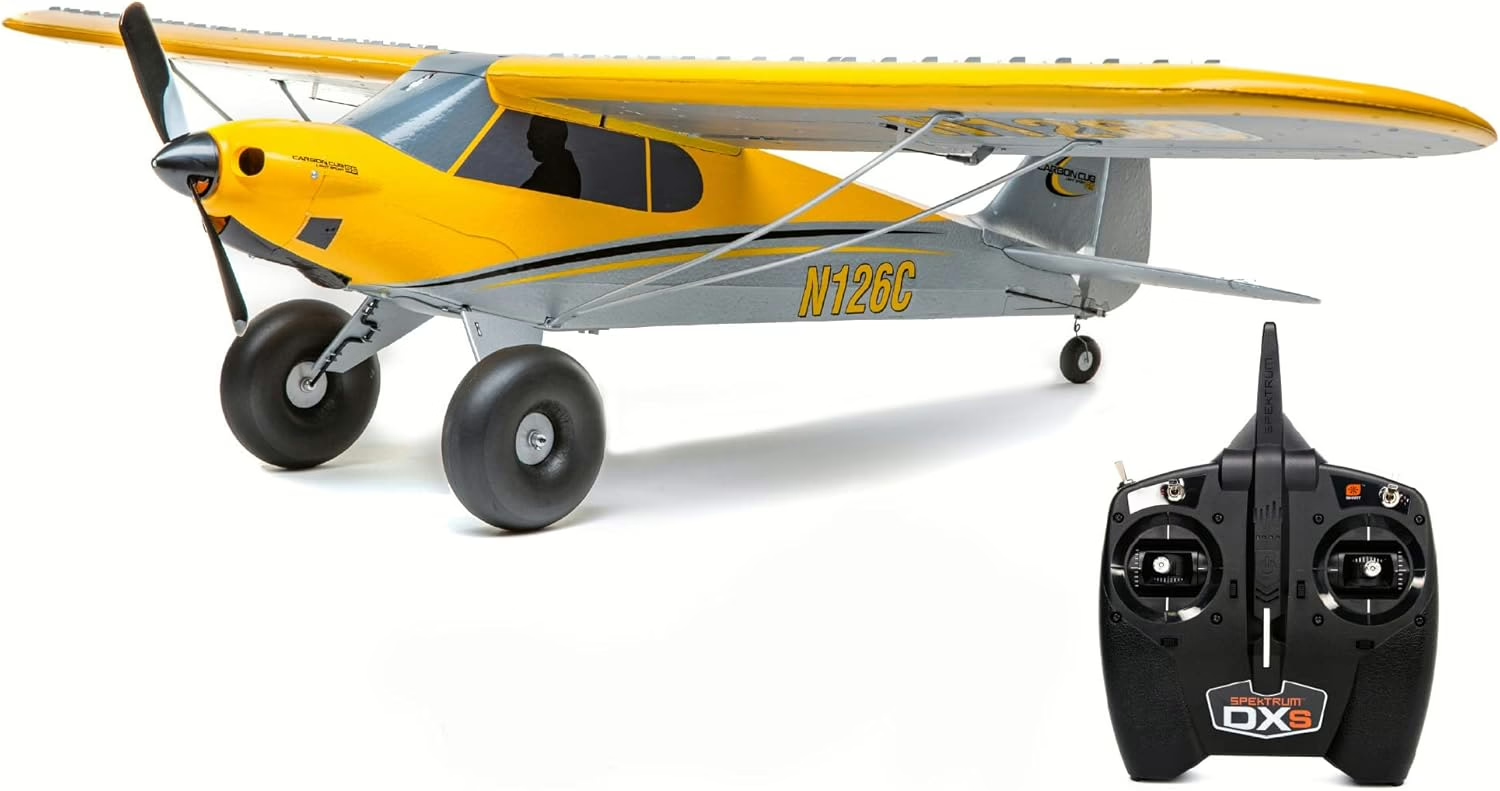
Every new pilot fears two mistakes: a trainer you outgrow in a month, or one that costs far more than the sticker once you add what’s missing. The HobbyZone Carbon Cub S 2 1.3m RTF attacks the first fear with three flight modes in one airframe. The second deserves a hard look, because today’s version ships as an RTF Basic package. If you’re sorting through the best RC planes for a first trainer, start here: what’s in the box, what isn’t, and what it takes to get airborne.
Quick Verdict
The Carbon Cub S 2 1.3m RTF Basic (HBZ320001) belongs on a beginner’s shortlist, not straight in the cart. On paper it’s strong: Spektrum SAFE (Sensor Assisted Flight Envelope) stabilization with three modes and Panic Recovery, a full-range DXS transmitter, and a documented upgrade path.
The decisive caveat: Basic means no flight battery and no charger. The earlier RTF package that included both (HBZ32000) is listed as discontinued, so check every item number.
The second caveat: as of October 2026, no published hands-on test of this exact package documents its flight time, wind handling, or crash durability.
We’d steer it toward a beginner with an instructor or simulator time; if you want nothing left to buy, look elsewhere. Before you click, see what the box leaves out.
Brief Overview
What It Is
Horizon Hobby lists the Carbon Cub S 2 1.3m RTF Basic as a Skill Level 1 Ready-To-Fly (RTF) package. HobbyZone’s product copy describes an expanded polyolefin (EPO) foam, high-wing replica of the CubCrafters Carbon Cub with taildragger gear. The box holds the airplane with installed brushless motor, 30A telemetry-capable electronic speed controller (ESC), four servos, Spektrum flight controller and receiver, plus the DXS transmitter and manual.
Who It’s For
The Cub suits first-time pilots learning with structured help, and returning pilots who want this scale configuration. Still weighing the class? Cross-check our best RC planes for beginners.
Features That Matter Most
- SAFE with three modes plus Panic Recovery: Beginner mode adds angle limits and self-leveling, and a dedicated button handles the moment orientation goes sideways.
- Spektrum DXS transmitter (SPMR1010): a full-range, seven-channel 2.4GHz DSMX radio whose four green LEDs show flight-battery voltage with compatible equipment, helping you land before the pack runs down (they aren’t a flight timer). It can fly other models, but its functions depend on preset profiles.
- A documented upgrade path: optional flaps, floats, GPS module, and landing-assist sensor add capability without a new airframe.
AT A GLANCE Model: Carbon Cub S 2 1.3m RTF Basic
- Manufacturer: HobbyZone
- Distributor: Horizon Hobby
- Item no.: HBZ320001
- Wingspan: 51 in. (1300mm)
- Length: 34 in. (865mm)
- Weight (per manual): 2.3 lb (1075g) w/o battery; 2.8 lb (1285g) w/ recommended battery
- Motor: E-flite 480 brushless, 960Kv (EFLM480BL)
- ESC: 30A, telemetry-capable (EFLA1030FB)
- Receiver / flight controller: Spektrum SPM4650C / SPMA3230A
- Radio: Spektrum DXS, DSMX (included)
- Power req’d: 3S 11.1V 1300–2200mAh LiPo, EC3 or IC3 connector
- Pilot skill level: 1 (per Horizon Hobby)
- Price: Check current price
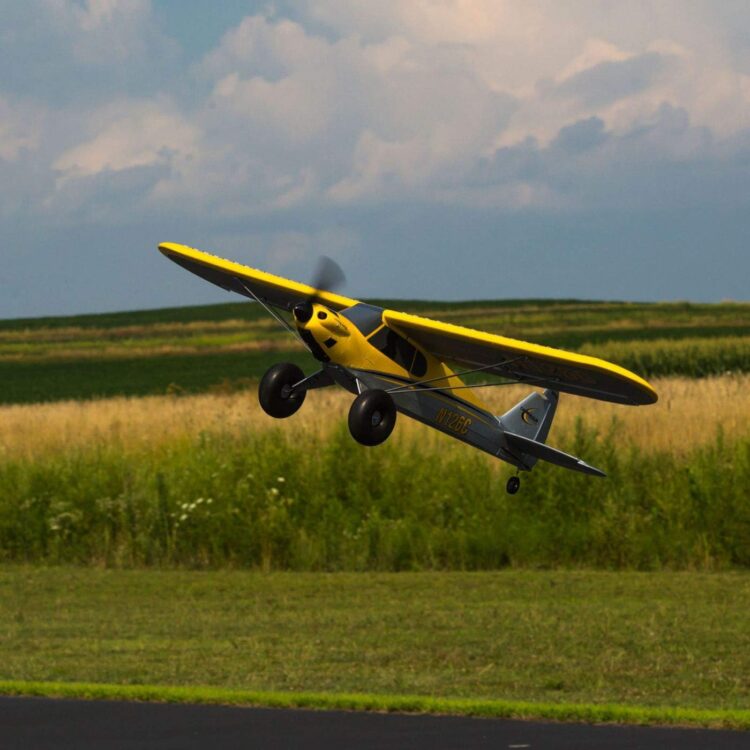
Check today’s price on the Carbon Cub S 2 1.3m RTF Basic at Amazon → Look for item number HBZ320001, and budget for the battery and charger.
Pros & Cons
WHAT WE LIKE
- Built-in progression: three SAFE modes take one airframe from self-leveling training to unrestricted flight.
- A real transmitter: the full-range DXS can carry forward to compatible Spektrum models.
- Room to expand: documented add-ons from floats to landing assist.
- Parts support: Horizon lists replacement landing gear, a fuselage, and a propeller individually.
WHAT TO WEIGH
- Completion costs: the battery and charger cost extra, which is easy to miss.
- The flap upgrade isn’t a DXS job: the manual doesn’t recommend the stock transmitter for it.
- Taildragger ground handling: tricycle gear is generally easier to steer on the ground.
What It Really Costs to Get Airborne
The package trap. HBZ320001 includes the airplane, installed electronics, DXS transmitter, and manual. The earlier Carbon Cub S 2 1.3m RTF with SAFE (HBZ32000) added a 3S 2200mAh Smart battery and an S120 charger, but it’s now listed as discontinued.
Your day-one shopping list:
- A 3S, 11.1V, 1300–2200mAh lithium-polymer (LiPo) battery with an EC3 or IC3 connector.
- A compatible charger and its power source. A matching plug alone doesn’t make a generic LiPo compatible with Spektrum’s Smart charger. Horizon recommends the Spektrum Smart Powerstage Air Bundle (SPMXPSA200), which pairs a 2200mAh 3S 30C Smart G2 LiPo (SPMX223S30) with the S120 USB-C Smart Charger, 1x20W (SPMXC1020). The S120’s USB power source is sold separately.
Everything else is optional. We’d put instruction and simulator practice ahead of any convenience upgrade.
TIP: Read the item number, not just the title. HBZ320001 (Basic) and the older HBZ32000 bundle have different completion lists.
Expected Experience with the HobbyZone Carbon Cub S 2 1.3m RTF
Unboxing and Assembly
The Carbon Cub S 2 instruction manual walks you through the tail, landing gear, wing, and struts in an illustrated sequence. HobbyZone’s marketing promises glue-free assembly in under an hour; as of October 2026, no published build of this package documents actual time, parts fit, or a first-timer’s results.
Radio Setup and SAFE Modes
Spektrum’s DXS profile table puts flight modes on switch B and Panic Recovery on button A; the profile must match the aircraft. Per the manual:
- B0, Beginner: limited bank and pitch, with self-leveling.
- B1, Intermediate: wider limits; the manual says self-leveling stops above 50 ft and reverts below it. Confirm how that applies to your configuration before relying on it.
- B2, Experienced: no limits and no self-leveling.
Set the center of gravity (CG) at 2.44–2.68 in. (62–68mm) behind the wing-root leading edge with your battery installed, then complete the manual’s control-direction, stabilization, and range checks.
WARNING: LiPo safety. Use a compatible charger and inspect each pack first. Spektrum’s S120 instructions prohibit unattended or overnight charging and charging damaged packs. If a pack swells, stop. For storage, follow your battery’s own instructions.
First Flights: Takeoff, Handling, and Wind
Pete Carpenter’s The Beginner’s Guide to Flying R/C Airplanes discusses taildragger ground loops, and trainer guidance generally holds that tricycle gear steers more easily on the ground. That’s a reason to compare layouts, not a prediction that this Cub will ground-loop.
As of October 2026, no published test of HBZ320001 documents flight time, takeoff distance, climb rate, or a practical beginner wind limit. Greg Gimlick’s May 2018 review for Model Aviation flew the predecessor Carbon Cub S+ 1.3m with a DXe transmitter and a 1300mAh 3S pack, describing challenging gusty conditions and changing flight modes. It’s useful background, not a verdict on today’s package.
Landings and Progression
Horizon lists Spektrum’s Landing Assist Sensor Module (SPMA3180) for the Carbon Cub S 2 and says it provides automatic flare assistance. Per the manual, it isn’t suited to water or dark surfaces and isn’t GPS AutoLand: an aid, not an autopilot. Progression runs through the B-switch modes, but no published test of this package documents how quickly pilots advance, what typically breaks in a crash, or how long repairs take.
TIP: Learn before you crash. The aircraft documentation lists RealFlight Trainer Edition (RFL1205) and the Spektrum WS2000 Wireless Simulator USB Dongle (SPMWS2000). Pair simulator time with a club instructor if you can.
How the Carbon Cub S 2 1.3m Stacks Up Against Its Rivals
| Carbon Cub S 2 1.3m RTF Basic | E-flite Apprentice STS 1.5m RTF Basic Smart Trainer | HobbyZone AeroScout S 2 1.1m RTF Basic with RealFlight | HobbyZone Sport Cub S 2 RTF | |
| Item no. | HBZ320001 | EFL370001 | HBZ380002 | HBZ444000 |
| Size | 51 in. (1300mm) | 1.5m class | 1.1m class | 24.2 in. (615mm) |
| Stabilization | SAFE, three modes | SAFE; SAFE Plus and LAS upgrades advertised | SAFE, three modes | SAFE |
| Battery and charger included | No | No (needs 3S 3200–4000mAh EC3/IC3 pack) | No (needs 3S 1300–2200mAh pack) | Yes (150mAh 1S 3.7V pack, USB charger) |
| Transmitter | DXS | DXS | DXS | Spektrum MLP6DSM |
| Optional floats | HBZ7390 | Check fitment | HBZ3811 | Check fitment |
| Best for | Scale looks, upgrade path | A larger trainer | Nose gear, bundled sim software | Smallest size, complete box |
Bottom line: compare completed packages, not names. We’d choose the Carbon Cub if scale looks and the accessory path matter most. The AeroScout shares its DXS and battery range but adds manual-documented nose gear and bundled RealFlight software. Pick the Sport Cub for a complete box in a much smaller 1S airplane, and the Apprentice for a larger trainer with bigger packs. No head-to-head flight test of these four has been published.
Where the HobbyZone Carbon Cub S 2 1.3m RTF Really Shines
The Cub’s best trick is postponing your second purchase: a flip of switch B changes how much help SAFE gives, instead of a new airplane at every skill step. On a disorienting first flight, a dedicated Panic Recovery button is a safety net that can keep a nervous beginner flying.
The DXS is a genuine full-range radio, not a throwaway toy, and it can move to your next compatible model. Floats open up water flying once you’re experienced (Horizon warns it isn’t for beginners), and the GPS module adds AutoLand, Holding Pattern, and Virtual Fence. None of it guarantees savings, but it’s a clear way to grow without starting over, in a classic bush-plane shape.
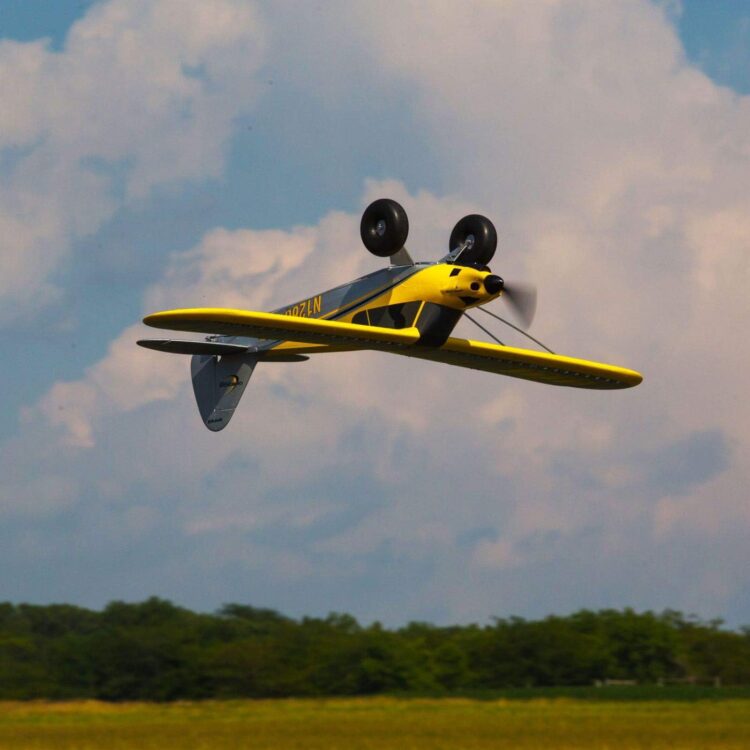
HobbyZone Carbon Cub S 2 1.3m RTF Basic (HBZ320001) Three SAFE modes, Panic Recovery, and a full-range DXS radio in a scale bush-plane trainer. Battery and charger sold separately.
Check price on Amazon →
Who Should Buy It (and Who Should Skip It)
Consider it if you are:
- A beginner with a support plan: an instructor or simulator, plus a trainer you’ll keep flying after you solo.
- A scale and backcountry fan: Carbon Cub looks, with floats available later.
- A future fleet builder: you’ll stay with Spektrum and check DXS profile compatibility.
Skip it or compare first if you:
- Want nothing else to buy: the Sport Cub S 2 RTF includes its battery and charger.
- Already own a suitable transmitter: the Carbon Cub S 2 1.3m Bind-N-Fly (BNF) Basic with SAFE (HBZ32500) needs a full-range DSMX/DSM2 transmitter with six or more channels, plus a battery and charger.
- Want nose-wheel ground handling: look at the AeroScout.
- Only have a small backyard: a beginner rating doesn’t make a small site suitable.
FAQ
Q: Is the HobbyZone Carbon Cub S 2 1.3m RTF a good first RC plane if I’ve never flown before and don’t have an instructor?
A: The HobbyZone Carbon Cub S 2 1.3m RTF is a reasonable first-plane candidate, but its SAFE features don’t make learning without an instructor a sure thing.
- Beginner mode and Panic Recovery are documented training aids.
- Taildragger gear generally asks more on the ground than tricycle gear.
- A simulator and a club still matter.
Q: What battery and charger do I need to buy for the Carbon Cub S 2 1.3m RTF Basic, and what connector should the battery have?
A: The Carbon Cub S 2 1.3m RTF Basic needs a 3S 11.1V LiPo between 1300 and 2200mAh with an EC3 or IC3 connector, plus a charger that’s compatible with that battery.
- Horizon recommends the SPMXPSA200 bundle; budget a USB power source for its S120 charger.
- Match cell count, capacity, connector, and charger, not just the plug, and recheck the CG.
- No published test documents how much flight time each capacity adds.
Q: How do I switch between Beginner, Intermediate, and Experienced modes on the Carbon Cub S 2, and what does the Panic Recovery button actually do?
A: The Carbon Cub S 2 uses switch B on the DXS for flight modes and button A for Panic Recovery.
- Confirm that the DXS profile matches your aircraft.
- Select B0 (Beginner), B1 (Intermediate), or B2 (Experienced), and verify each position on the ground.
- Check how the manual’s altitude-dependent Intermediate wording applies to your setup.
- For Panic Recovery, hold button A, release the sticks, then release A.
Q: Do I need to register my Carbon Cub S 2 with the FAA or take a test before flying it in the U.S.?
A: The Carbon Cub S 2 must be registered with the FAA, and recreational pilots must pass TRUST and meet Remote ID requirements.
- The FAA’s recreational flyer guidance (updated March 18, 2026) requires registration above 0.55 lb (250g). The manual’s 2.3-lb figure and HobbyZone.com’s 32.2-oz (913g) figure both exceed it. Mark the aircraft and carry proof.
- Pass The Recreational UAS (unmanned aircraft system) Safety Test (TRUST) and carry proof.
- Keep visual line of sight, give way to other aircraft, follow your community-based organization’s safety guidance, stay at or below 400 ft above ground in Class G airspace, and get authorization for controlled airspace.
- Under the FAA’s Remote ID rules, use standard Remote ID, a broadcast module, or an FAA-Recognized Identification Area (FRIA). A GPS navigation accessory doesn’t by itself make the airplane compliant.
Q: Can I add flaps and floats to the Carbon Cub S 2 1.3m later, and what extra parts or radio will I need?
A: The Carbon Cub S 2 1.3m supports optional flaps and floats, but don’t assume the stock DXS can handle flaps.
- Flaps: a Spektrum A382 13g servo (SPMSA382) and a 9-in. extension (SPMA3052). The manual doesn’t recommend the DXS because it lacks elevator-compensation mixing.
- Floats: the HobbyZone Float Set (HBZ7390). Horizon warns that water flying isn’t for beginners.
- GPS: the Spektrum GPS Module (SPMA3173) adds the SAFE Plus features AutoLand, Holding Pattern, and Virtual Fence.
Q: What should I do if I crash my Carbon Cub S 2—can I buy replacement parts, and how hard are repairs?
A: Horizon Hobby lists individual Carbon Cub S 2 replacement parts, but no published repair log shows how hard or costly a typical crash repair is.
- Landing Gear Set (HBZ3223): the listing names HBZ320001 compatibility.
- E-flite 9 x 6 propeller (EFLP09060): shown in the manual’s parts identification.
- Fuselage (HBZ3220): sold under the Carbon Cub S+ 1.3m name.
- Disconnect power, inspect per the manual, confirm listed fitment (an S+ name doesn’t settle it), and recheck setup.

Key Takeaways
- Three SAFE modes plus Panic Recovery are the core value: progression without a new airframe.
- RTF Basic means the battery and charger are extra; check for HBZ320001 and budget for both.
- The manual doesn’t recommend the stock DXS for flaps.
- Taildragger ground handling and the lack of a published current-package flight test are the main unknowns.
- Compare package codes: the AeroScout offers nose gear, and the Sport Cub ships complete.