


Blade’s tiny collective-pitch heli promises a stabilized path from first hover to flips. Whether it’s a smart buy or a costly detour comes down to the package you pick, the air you fly in and your patience.
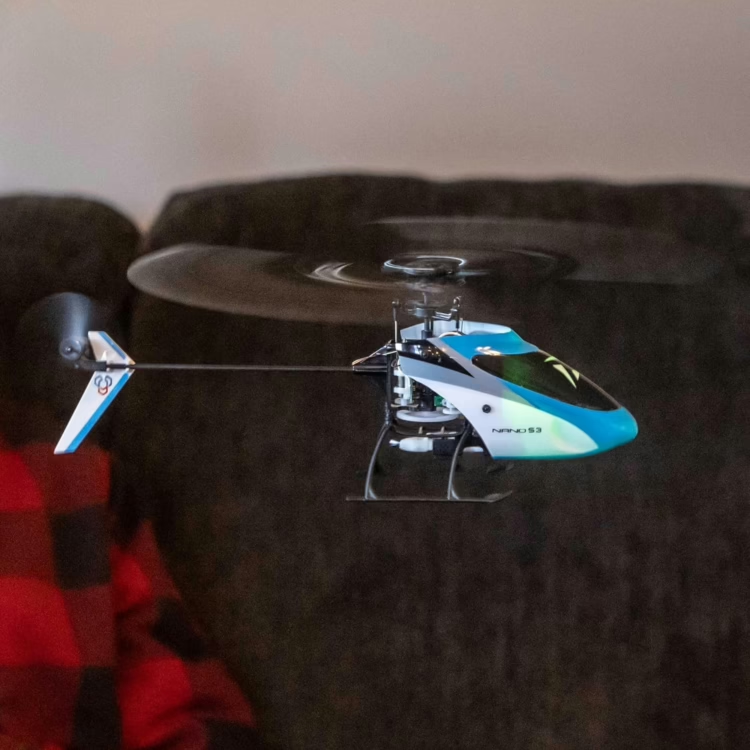
The Blade Nano S3 isn’t the helicopter most first-time buyers picture. It’s a micro collective-pitch (CP) machine, so its rotor blades can run negative pitch and the model can fly inverted. That’s a different class from the coaxial and fixed-pitch toys most newcomers start with, and the wrong first helicopter is an expensive way to lose interest.
Below, we weigh Blade’s promises against the manual, the spec sheet, a published flight review and the realities of learning CP, and see where it sits among today’s best RC helicopters.
Quick Verdict
The Blade Nano S3 earns a conditional recommendation. It suits a committed learner who wants indoor collective-pitch practice and accepts that setup, training, and maintenance come with the deal. Horizon Hobby rates both current packages Skill Level 2, up from Skill Level 1 on the legacy listings.
Three qualifications matter most:
- Wind. Fitz Walker, a self-described experienced micro pilot, flew a Nano S3 RTF for a flight review in the Academy of Model Aeronautics’ Park Pilot (Fall 2021). He reports that it handled his windy first outdoor flights better than he expected and stayed flyable, though gusts bounced it around enough to challenge newer pilots.
- Package. The RTF comes with radio, battery and charger. The BNF Basic includes none of them.
- Running costs. Extra flight packs, charging capacity and crash parts sit outside the box price.
At a glance
- Best for: CP learners who will progress mode by mode, indoors or in calm air.
- Skip it if: you want a toy that flies without practice, or you mostly fly in wind.
- Package to choose: RTF, unless you already own compatible Spektrum gear.
Read on before you buy: the details below decide whether the Nano S3 becomes your favorite trainer or an expensive shelf ornament.
Brief Overview
What It Is
The Blade Nano S3 is a micro, flybarless, collective-pitch electric helicopter from Blade, supplied by Horizon Hobby. Flybarless means a flight controller does the stabilizing work a mechanical flybar once did. It comes fully assembled as a ready-to-fly (RTF, BLH013000) or Bind-N-Fly Basic (BNF, BLH013050) package; older listings use the legacy numbers BLH01300 and BLH01350. Blade’s manual adds a 3D mode with no bank limit and fast, aerobatic cyclic and yaw rates.
The S3 succeeds the now-discontinued Blade Nano S2 (BLH1300), which already had SAFE-Z, AS3X, Panic Recovery and a vertically mounted controller. Walker identifies a revised controller and stabilization system, plus battery-voltage telemetry, as the S3’s changes.
Who It’s For
Committed CP learners, returning pilots, and experienced pilots who want an indoor trainer. Assisted modes help, but they won’t fly it for you.
The Features That Matter Most
- SAFE (Sensor Assisted Flight Envelope) modes and Panic Recovery. You choose the level of help, from bank-limited self-leveling to full authority, so one airframe becomes a learning ladder.
- AS3X (Artificial Stabilization–3-aXis). Spektrum’s background stabilization. It isn’t position hold or self-leveling.
- Battery-voltage telemetry. On supported transmitters, you can watch pack voltage and land before the pack is drained.
- Factory assembly. No airframe build. Walker’s sample hovered with no drift.
| Specification | Blade Nano S3 (BLH013000 / BLH013050) |
| Main rotor diameter | 197 mm (7.8 in), per the current manual |
| Tail rotor diameter | 40 mm (1.6 in) |
| Length / height | 200 mm (7.9 in) / 79 mm (3.1 in) |
| Weight | 28 g (0.99 oz) without battery; 32 g (1.13 oz) with recommended battery |
| Flight battery | E-flite 150 mAh 1S 3.7 V 45C LiPo (EFLB1501S45), PH 1.25 Ultra Micro connector |
| Motors | Brushed: coreless geared main, direct-drive tail |
| Servos | Three linear servos (SPMSH2027L / SPMSH2028L in the legacy manual) |
| Receiver | Installed Spektrum DSMX |
| Flight modes | Stability Z, Stability, 3D, plus throttle hold (layout depends on radio) |
| Flight time | Manual’s computer-radio timer setting: 4:00; HobbyZone lists about 4–5 minutes (not independently confirmed) |
| RTF includes | Spektrum MLP6 transmitter, one 150 mAh 1S LiPo, USB charger, four AA batteries, manual |
| BNF Basic needs | 6+ channel Spektrum DSM2/DSMX transmitter, 150 mAh 1S 45C battery, compatible charger |
HobbyZone’s listing gives the main rotor as 196 mm; the table follows Blade’s current Nano S3 manual.
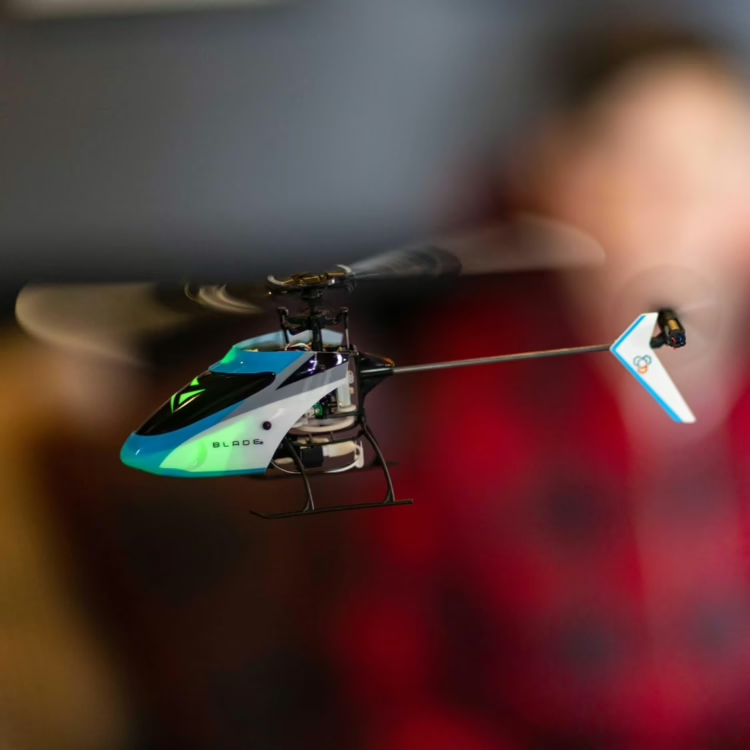
Ready to compare packages? See what’s in each box before you order. Check the Blade Nano S3 on Amazon.
Pros & Cons
Pros
- Arrives assembled in both packages.
- Selectable assistance, from self-leveling Stability modes to unrestricted 3D, in one helicopter.
- Walker’s sample hovered without drift indoors, nearly hands-off in SAFE mode.
- Real aerobatic headroom: Walker flew flips, inverted flight, funnels and a pirouetting flip outdoors.
- Telemetry supports a low-voltage alert; Walker set his at 3.5 V.
Cons
- Gusts bounce it around, which Walker says would trouble newer pilots.
- Walker found high rates slightly twitchy in stunt mode and preferred his NX6’s customization to the stock mini radio’s exponential.
- BNF Basic ships without transmitter, battery or charger; the RTF includes just one flight pack.
- The current manual describes Panic Recovery two different ways, so don’t treat it as a guaranteed rescue.
Expected Experience with Blade Nano S3
Out of the Box: Assembled, but Still Check the Setup
Blade’s legacy manual sets the prep sequence:
- Charge the flight battery.
- Set up the transmitter.
- Bind, if needed.
- Power up level and still so it can initialize.
- Run control checks with throttle hold active.
E-flite’s instructions for its 1S USB LiPo charger (EFLC1008) estimate roughly 30–40 minutes to charge a fully discharged, but not over-discharged, 150 mAh pack. Binding differs, too: the legacy manual calls for full left rudder with the RTF transmitter and full right with a computer radio, so follow your package’s manual exactly.
Radio Setup and the RTF-vs-BNF Decision
The current RTF box lists a Spektrum MLP6 six-channel transmitter (SPMRMLP6), the same line name as the legacy RTF, so don’t read it as an upgrade.
Walker flew his 2021 RTF sample with the stock mini radio and with his own Spektrum NX6 (SPMR6775, now discontinued). He preferred the NX6’s customization to the mini radio’s exponential settings.
The BNF Basic needs a Spektrum DSM2/DSMX transmitter with six or more channels, a 150 mAh 1S 45C battery and a compatible charger. We’d choose BNF only after checking your exact radio model, protocol and programming against the manual. It saves money only if you already own that gear.
Flight Behavior, Mode by Mode
Mode layout depends on your radio:
- RTF switch: 0 is throttle hold, 1 is Stability Z, 2 is 3D.
- Computer radio: 0 is Stability Z, 1 is Stability, 2 is 3D, with throttle hold on a separate switch.
Stability limits bank angle and returns the helicopter to level. Stability Z adds damping on climbs and descents. 3D has neither bank limits nor self-leveling. RTF owners get two flight modes on the stock switch, not three.
Walker’s review uses the older names, SAFE mode and stunt mode. In his living room, he found no hover drift in SAFE mode and could fly almost hands-off, correcting only collective. In stunt mode, high rates felt slightly twitchy; low rates settled the helicopter down. Outdoors, forward and backward flight were stable.
Panic Recovery is your bailout, but the manual isn’t consistent. Page 9 says it returns the helicopter to the nearest upright or inverted level attitude in 3D mode; page 10 says upright level in all modes. Walker saw an upright recovery. Either way, the manual says to center cyclic and rudder, set collective to 50%, and leave enough height to recover.
Indoors vs. Outdoors
We’d learn in an open, uncluttered room or in calm air, and wouldn’t assume every living room or garage has enough clear space.
Outdoors in the U.S., FAA recreational rules apply, including completing The Recreational UAS Safety Test (TRUST). At 32 g, the Nano S3 is well under 250 g, so recreational flyers generally don’t need to register it, but the other rules still apply.
Batteries, Flight Time and Charging
The recommended pack is the E-flite 150 mAh 1S 45C LiPo (EFLB1501S45) with the PH 1.25 Ultra Micro connector, not PH 2.0.
The manual’s 4:00 timer is a computer-radio setup value, not measured endurance, and HobbyZone’s 4–5 minute figure hasn’t been independently confirmed. The RTF includes one pack; extras depend on your session length and charging speed. E-flite’s EFLC1008 USB charger is rated 5.0 V/350 mA in and 4.2 V/300 mA out. The Spektrum S44 Micro 4-Port AC/DC charger (SPMXC1040), an optional accessory in the legacy manual, adds convenience but isn’t required.
Let packs cool, inspect them, use a compatible LiPo charger, stay with it, and unplug when done. Never charge a damaged or swollen pack. The legacy manual treats low-voltage cutoff as a signal to land; flying into it repeatedly can damage the pack.
Durability, Crashes and Repairability
No published flight test documents Nano S3 crash damage, common failure parts, repair times or motor life as of October 2026.
The Nano S2 main frame (BLH1302) lists Nano S3 compatibility and showed in stock on October 10, 2026. The Nano S2 main blade set (BLH1305) also lists Nano S3 compatibility and showed in stock the same day, though a listing isn’t a stock guarantee. The current flight control is SPM-1041, while the legacy manual lists BLH01301 as the flight control, so check your revision before ordering electronics. Horizon’s recall list showed no Nano S3 entry on October 10, 2026.
WARNING: Collective Pitch Is Not a Coaxial Toy. Keep people and pets clear, and stay away from moving parts. As the legacy manual directs, hit throttle hold in a crash, then disconnect the battery and inspect the model. Never leave a charging LiPo unattended.
How the Nano S3 Stacks Up: Rivals and Real Value
On October 10, 2026, Horizon Hobby listed both Nano S3 packages on backorder with a November 2026 estimate, and HobbyZone showed the RTF as sold out; an estimate isn’t a delivery promise. Here’s where three possible alternatives stood the same day:
- Blade Nano S2 (BLH1300): discontinued; leftover or used supply is uncertain.
- OMPHobby M1 EVO BNF: listed as Sold Out on OMPHobby’s legacy product page.
- XK K110S / K110S-B: Hitec Multiplex Japan’s importer page describes a 3D6G system and Futaba S-FHSS compatibility; U.S. availability and package contents aren’t confirmed.
None has a current, comparable U.S. record to support a side-by-side ranking, so the real value test is your own setup. The Nano S3 makes most sense if you want SAFE-assisted learning in one airframe, use Spektrum radio gear, and can find the parts you’ll need. Compare complete packages, not airframe prices.
Ownership-cost reality check: spare EFLB1501S45 packs, enough charging capacity, repair parts such as BLH1302 and BLH1305, a compatible Spektrum transmitter for BNF buyers, and an optional simulator.
Where the Blade Nano S3 Really Shines
The Nano S3 is at its best when the field isn’t an option. A clear indoor space can become a training area, and Walker’s living-room hover shows how settled it can be.
Its second strength is the ladder. Stability modes let you learn hovering and orientation while the system keeps you level; later, the same airframe moves to 3D, where Walker flew flips, inverted flight and funnels. The headroom is there; you supply the stick time.
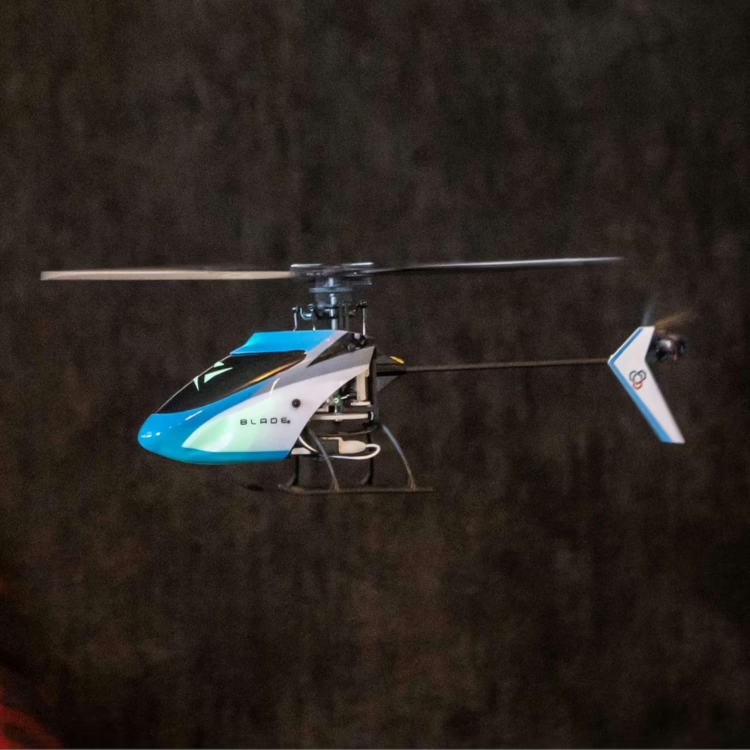
John Salt, an RC helicopter enthusiast and flying instructor, describes the Nano S3 on the Blade recommendations page of his RC Helicopter Fun site as “Not overly powerful, but a great indoor practice aid when first getting into collective pitch.”
Blade Nano S3 — A micro CP trainer with SAFE self-leveling, AS3X stabilization and voltage telemetry, sold RTF or BNF Basic. See the Blade Nano S3 on Amazon
Who Should Buy It (and Who Shouldn’t)
Ideal buyers
- The committed CP beginner who will start in Stability mode and earn 3D.
- The coaxial or fixed-pitch graduate ready to learn negative pitch.
- The Spektrum-equipped pilot whose transmitter, packs and charger make the BNF Basic cheaper.
- The experienced pilot after indoor stick time.
Who should skip it
- Casual buyers wanting a helicopter that flies itself; a coaxial or fixed-pitch model fits better.
- Pilots who mostly fly outdoors in gusty conditions.
- Anyone who won’t inspect, maintain and supply the gear the package requires.
FAQ
Q: Is the Blade Nano S3 a good first RC helicopter for a complete beginner, or should I start with something easier?
A: The Blade Nano S3 can work as a first helicopter for a committed beginner, but it isn’t proven to be the easiest option.
- Horizon rates the current packages Skill Level 2, and even Walker, an experienced pilot, found high rates slightly twitchy.
- Progress in order: assisted hovering, consistent orientation, then 3D.
Q: What’s the difference between the Blade Nano S3 RTF and BNF versions, and which one should I buy?
A: The Blade Nano S3 RTF (BLH013000) includes a Spektrum MLP6 transmitter, one flight battery and a USB charger; the BNF Basic (BLH013050) includes none of them.
- Already own a six-or-more-channel Spektrum DSM2/DSMX radio, pack and charger? BNF can save money.
- If not, compare the full cost of each complete setup.
Q: How long does the Blade Nano S3 battery last per flight, and how many extra batteries do I really need?
A: The Blade Nano S3 has no independently confirmed flight time, and no set number of spare batteries suits everyone.
- The manual’s 4:00 timer is a starting point; HobbyZone’s 4–5 minutes is unconfirmed.
- The RTF includes one 150 mAh pack, so buy extras to match your sessions and charging setup.
Q: Can I fly the Blade Nano S3 outside in the wind, or is it only for indoor flying?
A: The Blade Nano S3 can fly outdoors, but gusts are a documented challenge for newer pilots.
- Walker flew aerobatics outdoors and found it flyable in wind, but gusts bounced the model around.
- No published source gives a beginner wind limit as of October 2026; start in calm air or indoors.
Q: How long will it take me to learn to hover and fly a collective pitch helicopter like the Nano S3?
A: Learning time varies by pilot, so measure Nano S3 progress by skills, not a calendar.
- Hover tail-in with control.
- Hold side-on hovers.
- Learn nose-in, which John Salt’s nose-in hover guide treats as important to master before aerobatics.
- Fly circuits, then aerobatics. A simulator helps with orientation but doesn’t replace the real model.
Q: Is it worth upgrading from the Blade Nano S2 to the Nano S3?
A: A Blade Nano S2 to Nano S3 upgrade isn’t automatically worthwhile.
- The S2 already had SAFE-Z, AS3X and Panic Recovery.
- Walker names a revised controller and stabilization, plus voltage telemetry, as the S3’s changes, without measuring their effect.

Key Takeaways
- The Blade Nano S3 is a conditional pick for committed CP learners, and Horizon rates it Skill Level 2.
- Both packages arrive assembled, but the BNF Basic needs your own Spektrum radio, battery and charger.
- Walker reported a stable assisted hover and outdoor aerobatics, along with slightly twitchy high rates and gust sensitivity.
- Budget for spare packs, charging capacity and repair parts, and check parts stock before you buy.
- Measured flight time, crash durability and superiority over rivals are all unproven.