


Your premium wireless headphones are useless on most flights — unless you pack this compact Bluetooth dongle. Here’s exactly how to ditch the wire, watch movies without lip-sync lag, and never touch an airline earbud again.
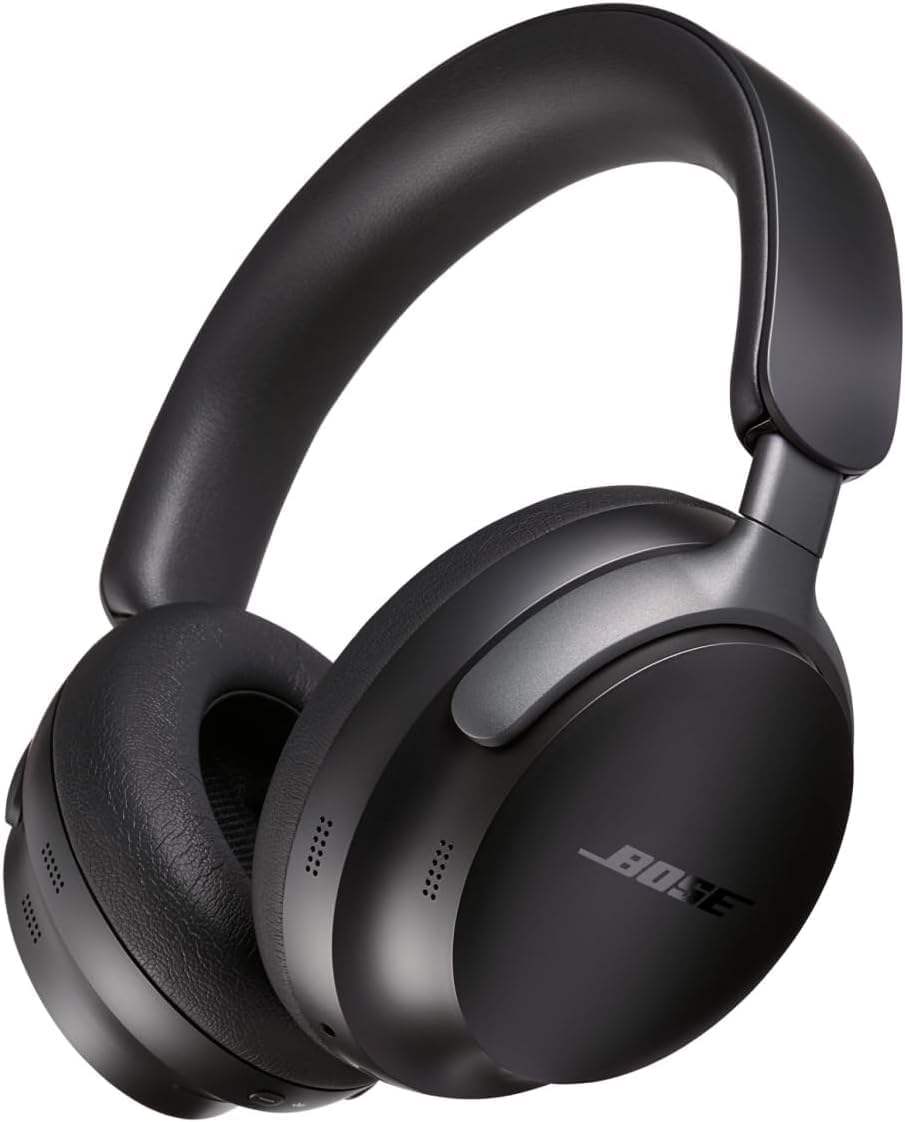
You spent a small fortune on premium noise-canceling headphones. You packed them specifically for this flight. And then the seatback screen in front of you offers exactly one connection option: a battered 3.5mm analog jack that hasn’t been updated since the Obama administration.
This is the defining frustration of modern air travel — and it’s affecting more passengers every year. The global wireless headphone market, valued at $13.24 billion in 2024, is on a trajectory to hit $67.38 billion by 2033. Premium ANC headphones from Sony, Bose, and Apple are now standard carry-on gear for road warriors and leisure travelers alike. Yet the vast majority of commercial aircraft still pipe audio through legacy wired jacks, forcing passengers into a grim choice: jam a flimsy airline earbud into your ear, stay physically tethered to the seatback via a backup cable, or skip the entertainment entirely.
The fix is a small, affordable Bluetooth transmitter. Plug it into the seat’s audio jack, pair it with your own headphones, and you’re watching a movie in genuine wireless audio within 10 seconds. This guide walks you through the entire process — what to buy, how to connect, and how to troubleshoot — so you never compromise your audio experience at altitude again.
The Core Problem: Why the Headphone Jack Is Grounded
Understanding why this friction point exists makes it far easier to solve. Commercial airframes routinely remain in service for 20 or more years, meaning the cabin interior of the plane you board today may have been designed during an era when wired analog audio was the only standard on offer. Those legacy 3.5mm jacks wear out fast under daily high-turnover use, leaving passengers wrestling with degraded receptacles that require constant physical manipulation — twisting the plug, leaning on the connector — just to get a static-free signal. And even when they work perfectly, a wired connection still chains you physically to the seatback every time you stand up.
Airlines are well aware of the problem, and the economics are compelling: eliminating seatback wiring can reduce aircraft weight by 200 to 300 kilograms per plane, translating to a 1% to 2% reduction in total fuel consumption over the life of a fleet. That is why major U.S. carriers have launched aggressive modernization programs. United Airlines’ “United Next” initiative had equipped over 600 mainline aircraft with Bluetooth-enabled 4K seatback screens by late 2025, and the carrier aims to reach 1,000 aircraft. Delta Air Lines’ “Delta Sync” ecosystem is expanding Bluetooth capabilities — initially limited to A321neo first-class cabins — to all cabin classes across its 737-800, 767-300, and A350-900 fleets.
These are meaningful advances. But until those multi-billion-dollar retrofits reach every gate on every airline, the overwhelming majority of passengers will still face an analog jack. A personal Bluetooth transmitter is the bridge.
The Practical Solution: Enter the Bluetooth Transmitter
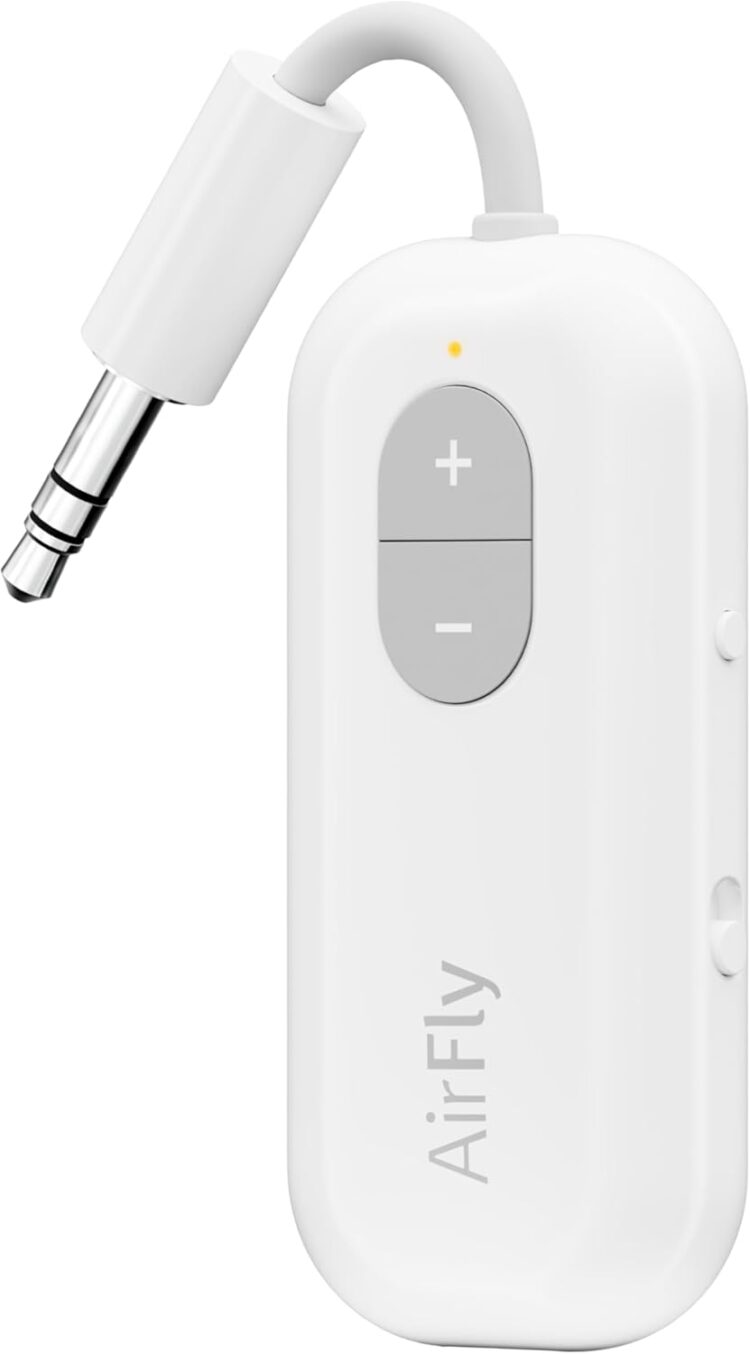
A Bluetooth transmitter is a compact, battery-powered dongle roughly the size of a USB thumb drive. Plug it into the seatback’s 3.5mm audio output, power it on, pair it with your wireless headphones, and the device converts the analog audio signal into a wireless Bluetooth stream — no app, no Wi-Fi, no airline account required.
The concept is straightforward. The execution demands one critical technical consideration: audio codec compatibility.
A codec (coder-decoder) is the algorithm that compresses audio data for wireless transmission. Standard Bluetooth connections rely on SBC or AAC codecs, which introduce a processing delay of 120 to over 200 milliseconds. That gap is catastrophic for video. Because light reaches your eyes far faster than a lagging audio track catches up, you’ll see an actor’s mouth move well before hearing their voice — a “lip-sync” error severe enough to make a feature film unwatchable.
The definitive solution is a transmitter that supports aptX Low Latency or aptX Adaptive codecs. These proprietary algorithms compress and transmit audio in just 30 to 40 milliseconds — a delay the human brain cannot perceive. The result is perfectly synchronized sound, even during fast-paced action sequences.
There is one non-negotiable caveat: both the transmitter and your headphones must support the same low-latency codec. If your headphones only support AAC — as is the case with Apple AirPods — the connection will automatically downgrade to the slower SBC standard, reintroducing the full 200-millisecond lag. Check your headphone’s technical specifications before purchasing a transmitter.
| Codec | Avg. Latency | Video Experience |
| SBC / AAC | 120–200+ ms | Poor — severe lip-sync errors |
| aptX / aptX HD | 60–80 ms | Acceptable — slight delay possible |
| aptX Low Latency / Adaptive | 30–40 ms | Excellent — imperceptible delay |
What You Need Before You Board
Two things go into your carry-on before this setup works: your wireless headphones and a Bluetooth transmitter. That’s the full hardware investment.
- Headphones: Any wireless headphones will pair with a transmitter, but models equipped with Active Noise Cancellation — such as the Sony WH-1000XM5, Apple AirPods Pro 2, or Bose QuietComfort Ultra — are strongly recommended. ANC neutralizes the continuous low-frequency engine drone that causes auditory fatigue on long-haul flights, allowing you to listen at a safer, lower volume.
- Transmitter: A high-quality transmitter demands a modest upfront investment. Budget for a mid-range to premium unit that explicitly supports aptX Low Latency or aptX Adaptive, operates on Bluetooth 5.3 or 5.4, and offers at least 20 hours of battery life. (See “Evaluating the Gear” below.)
Power management and FAA compliance: Both devices run on lithium-ion batteries, and federal regulations are explicit. The FAA requires all spare lithium-ion batteries and portable power banks to travel exclusively in carry-on baggage — never checked luggage — due to thermal runaway risks. Consumer transmitters and headphones fall well under the FAA’s 100 watt-hour personal-use ceiling, but they must remain in the cabin. Pack a fully charged FAA-compliant power bank (under 100Wh) for ultra-long-haul routes that may exceed your headphones’ battery life. Charge everything completely the night before departure.
The Core Process: How to Connect Your Wireless Headphones on Any Flight
This is the step-by-step sequence that works on virtually any commercial aircraft, regardless of its age or IFE configuration.
During Boarding
Locate your seat, stow your gear, and keep your transmitter and headphones accessible in the seatback pocket. Do not power on any wireless devices yet.
Step 1: Wait for the 10,000-foot clearance
Keep all wireless transmitting devices powered off during taxi, takeoff, and initial climb. Once the aircraft reaches cruising altitude and the flight crew announces that approved portable electronic devices may be used, begin your setup.
Step 2: Enable Airplane Mode, then re-enable Bluetooth
Place your smartphone or tablet into Airplane Mode — this disables cellular, Wi-Fi, and Bluetooth simultaneously. Then manually re-enable Bluetooth through the device’s Control Center or Settings menu. This two-step sequence keeps you compliant with aviation transmission regulations while still allowing local wireless audio connections.
Step 3: Check whether your aircraft has native Bluetooth
If your aircraft has been modernized — such as a United Airlines Boeing 737 MAX with new 4K screens or a Delta A321neo premium cabin — an external transmitter is unnecessary. Navigate to the Bluetooth icon on the seatback touchscreen, place your headphones into pairing mode (for AirPods, open the case and hold the rear button until the indicator flashes white), and select your device from the screen’s menu.
If your aircraft has a legacy analog jack — the far more common scenario — proceed to Step 4.
Step 4: Connect the transmitter to the seat jack
Locate the 3.5mm audio output, typically found on the armrest console or beneath the seatback monitor bezel. Plug the transmitter firmly into the jack. If the seat uses an older dual-prong audio system, attach the single-to-dual adapter that most premium transmitters include in the box before inserting.
Step 5: Initiate pairing
Power on the transmitter. Hold its pairing button until the LED indicator flashes rapidly, signaling it is searching for a receiver.
Step 6: Put your headphones into pairing mode
Before doing so, disable Bluetooth entirely on your smartphone from the main Settings menu — not just the Control Center toggle. This critical step prevents your headphones from auto-reconnecting to your phone rather than the transmitter.
Step 7: Complete the handshake
With both devices actively searching, the connection typically completes within five to ten seconds. The transmitter’s LED will stabilize, and audio from the seatback screen will flow directly into your headphones. Adjust volume through the IFE interface and fine-tune through your headphone’s built-in controls.
Evaluating the Gear: Pros, Cons, and ROI
The market for Bluetooth transmitters is crowded with unbranded products that look identical on paper but perform poorly in a signal-saturated cabin. Based on Bluetooth protocol, codec support, battery life, dual-connection capability, and physical design, four models stand out as the definitive shortlist for frequent fliers.
Twelve South AirFly Pro 2 sits at the top of the category. Its support for Bluetooth 5.3 and aptX Adaptive delivers the most stable, lowest-latency connection available in a consumer transmitter. A 25-hour battery life comfortably outlasts even the longest nonstop routes in operation. It connects two pairs of headphones simultaneously — a practical feature for couples sharing a seatback screen — and includes a Receiver (RX) mode that lets you stream audio from your phone into non-Bluetooth car stereos or gym equipment, extending the device’s value well beyond the aircraft cabin. It carries the highest price point of the four options reviewed here, but for frequent fliers the return on investment is immediate and sustained.
Avantree Relay is the pragmatic mid-tier choice. Its strict aptX Low Latency support handles lip-sync demands for feature films effectively, its 20-hour battery is more than adequate for transatlantic routes, and it connects two headphones simultaneously. The physical interface is intuitive, and it retails at a meaningfully lower price point than the AirFly Pro. Its limitation: no RX mode, restricting its utility to transmit-only applications.
1Mii SafeFly (B06TX) earns its place on the list through build quality and pairing reliability. It runs aptX Low Latency, supports dual connections, and offers 15-plus hours of operational time. Travelers who prioritize hardware durability over feature breadth will find it a dependable option.
Beeitzie Premium Adapter represents the cutting edge of the protocol stack, built on Bluetooth 5.4 for maximum signal stability in congested cabin environments. Its most distinctive feature — an LCD status screen — eliminates all guesswork about connection status by displaying exactly which devices are paired. It offers 24 hours of battery life and aptX Low Latency codec support. The one practical trade-off: the integrated screen adds to the device’s physical footprint, which can sit awkwardly in recessed or angled seatback jacks.
| Device | Bluetooth | Battery | Key Codec | Dual Connect | Standout Feature |
| Twelve South AirFly Pro 2 | 5.3 | 25+ hrs | aptX Adaptive | Yes | TX/RX modes, ultra-compact |
| Avantree Relay | 5.3 | 20 hrs | aptX Low Latency | Yes | Physical volume controls |
| 1Mii SafeFly (B06TX) | 5.2/5.3 | 15+ hrs | aptX Low Latency | Yes | Durable build, fast pairing |
| Beeitzie Premium Adapter | 5.4 | 24 hrs | aptX Low Latency | Yes | LCD status display |
Pitfalls and Safety: Avoiding In-Flight Audio Disasters
Even premium gear runs into three recurring failure modes. Knowing them in advance keeps you from discovering them at 35,000 feet.
Electromagnetic interference. An aircraft cabin is an aluminum tube packed with up to 300 passengers running smartphones, laptops, and smartwatches — all competing across the same 2.4GHz radio frequency band that Bluetooth uses. Cheap, unbranded transmitters get overwhelmed by this spectral congestion, producing dropouts, stuttering, and a robotic degradation of audio quality. The solution: invest in a unit running Bluetooth 5.3 or 5.4. Both protocols incorporate advanced frequency-hopping spread spectrum (FHSS) technology, which rapidly cycles through available channels to maintain a clean signal despite surrounding interference.
Codec mismatch. Purchasing a low-latency transmitter does not guarantee low-latency performance. If your headphones don’t support the same aptX codec as the transmitter, the connection defaults automatically to SBC — and the 200-millisecond lip-sync delay returns in full force. Apple AirPods, for example, rely on AAC and do not support Qualcomm’s aptX family. Verify your headphone’s codec support before buying a transmitter, not after.
Ground loop buzz. When you plug a transmitter into the seatback jack and simultaneously connect it to the seat’s USB power port for charging, an electrical ground loop frequently forms — introducing a persistent, irritating buzzing or humming noise layered onto the audio. Never charge the transmitter while it is actively in use. Run on internal battery during playback; charge only when powered off or not in operation.
Troubleshooting: What Is the “Plan B”?
The single most effective troubleshooting step happens before you ever reach the airport. At home, plug your transmitter into a standard analog audio source — an older TV, a desktop computer monitor, or a stereo system — and complete the initial pairing process with your headphones. Once paired, the transmitter stores your headphones’ unique MAC address in its internal memory. On board the aircraft, the two devices will automatically seek each other out and reconnect in seconds, bypassing the manual pairing phase and ignoring surrounding cabin interference.
If the devices still refuse to pair in the cabin, the most common culprit is your smartphone’s Bluetooth radio actively pulling the headphones toward a familiar device. The fix: power down both the headphones and the transmitter, go into your phone’s main Settings menu and disable Bluetooth entirely (not just via the Control Center toggle), then restart the pairing sequence from scratch. If the transmitter has a physical reset pinhole, use it to wipe conflicting device histories before trying again.
When all wireless options fail or a battery dies mid-flight, a wired fallback is required. Pack a USB-C to 3.5mm audio cable in your carry-on for modern ANC headphones that lack a native 3.5mm input. One important caveat: the Bose QuietComfort Ultra uses active digital signal processing that disables audio pass-through when its internal battery is dead. On that specific model, plugging in the analog cable produces no sound unless the headphones are simultaneously connected to power and switched on.
Immediate Action: Your Next Steps
Start by auditing your current headphones. Pull up their technical specifications and confirm whether they support aptX Low Latency or aptX Adaptive — that answer determines which transmitter you need. If you’re in the AirPods ecosystem, note that they run AAC only and will not deliver low-latency sync with any transmitter.
Next, order a compatible transmitter well before your departure date. Airport electronics kiosks carry limited inventory, questionable quality, and significantly inflated pricing.
Finally, look up your upcoming flight on the airline’s app or website and identify the specific aircraft type. Knowing whether you’re boarding a legacy Boeing 767 or a recently retrofitted Airbus A321neo tells you exactly which tools to deploy at your seat — and whether you need the transmitter at all.

Key Takeaways
- A Bluetooth transmitter bridges the gap between modern wireless headphones and legacy aircraft audio jacks, eliminating the need for inferior airline earbuds entirely.
- Codec compatibility determines video quality: both the transmitter and your headphones must mutually support aptX Low Latency or aptX Adaptive to prevent lip-sync delay.
- Test at home first: pair your devices on a standard TV or stereo before departure so they reconnect automatically in the cabin.
- All lithium-ion battery devices must travel in carry-on baggage, per FAA regulations — never in checked luggage.
- Always pack a wired backup: a USB-C to 3.5mm cable protects you when batteries die or wireless fails, but confirm your specific headphone model supports passive wired audio before relying on it.