

That milky fog ruining your perfect build ends here. Master three proven techniques that eliminate silvering and make decals look factory-painted—every single time.
 You’ve spent weeks assembling your P-51 Mustang. The seams are invisible. The paint is flawless. Then you apply the national insignia, step back, and see it: that silvery, milky haze surrounding your carefully positioned decal. That phantom fog that screams “model kit” instead of “scale replica.” It’s the final insult to an otherwise perfect build.
Silvering is the single most visible finishing flaw in scale modeling, and it’s entirely preventable. This problem occurs when microscopic air bubbles trap beneath the clear carrier film of a decal, scattering light and creating that telltale sheen. The good news? Once you understand the science behind silvering, you can eliminate it completely using a systematic three-step process that works on every decal, from tiny stencil data to large nose art.
This guide will walk you through the proven method professional modelers use to achieve markings that look painted onto the model rather than applied afterward. It applies equally whether you’re working from one of the best model airplane kits on the market today or a vintage release pulled from the back of a shelf. You’ll learn why the entire model needs gloss coating, how to remove excess carrier film without destroying delicate decals, and the proper technique for using setting solutions that pull decals tight around rivets and panel lines. These aren’t quick fixes or workarounds—they’re the fundamental techniques that separate exhibition-quality models from shelf queens.
Master these three steps, and decaling transforms from your most dreaded task into a source of pride. Let’s get started.
UNDERSTANDING THE SCIENCE BEHIND SILVERING
 Before reaching for your decal sheet, you need to understand exactly what causes silvering. This knowledge turns the three-step system from a recipe you follow blindly into a logical process you can adapt to any situation.
Decals are manufactured using a straightforward process. Ink designs are screen-printed onto clear carrier film. This film sits on water-soluble adhesive, which bonds to paper backing. When you soak a decal, the adhesive dissolves, allowing the film to slide off the backing and onto your model. Simple enough—until you consider what happens at the microscopic level.
Paint surfaces have texture, even when they appear smooth to the naked eye. Flat paint presents a particularly rough landscape when viewed under magnification. The microscopic peaks and valleys scatter light, which is precisely why flat paint appears matte. This roughness creates a fundamental problem for decal application: the clear carrier film bridges across these tiny valleys, trapping air in the spaces below.
When light strikes your decaled model, it penetrates the clear carrier film, reflects off those trapped air bubbles, and scatters in multiple directions. This scattered reflection appears as silvering—that milky, translucent haze that ruins the appearance of otherwise perfect markings. The larger the clear area surrounding the printed design, the more pronounced the silvering becomes.
Gloss paint creates an entirely different surface. Under magnification, gloss appears smooth and level, with the peaks filled in by the glossy finish. When a decal sits on this glassy surface, the carrier film makes full contact with the paint. No air pockets form. Light passes through the carrier film, reflects cleanly off the paint, and returns to your eye without scattering. The carrier film becomes virtually invisible.
This explains why some decals are more prone to silvering than others. Roundels and national insignia with large clear borders present maximum silvering potential. Small stencil data with minimal carrier film rarely shows problems. Round fuel cap markings—those infamous red circles with clear centers—represent worst-case scenarios because they place clear film directly over raised surface details where air can easily trap.
Understanding this surface interaction reveals why the three-step system works: gloss coating smooths the surface, carrier film removal eliminates unnecessary clear areas, and setting solutions chemically soften the film so it conforms to every contour. Each step addresses a specific cause of silvering.
STEP 1: CREATING THE PERFECT GLOSS FOUNDATION
The foundation of silvering prevention begins with a complete gloss coat over the entire model. This isn’t a recommendation—it’s a requirement for professional results.
Why the Entire Model Needs Gloss Coating
Spot-coating only decal areas creates a different problem: visible transitions between glossy and matte surfaces. Under certain lighting conditions, these gloss patches become obvious, particularly on flat-finished aircraft. You eliminate silvering only to introduce another flaw. Coating the entire model ensures uniform surface characteristics and eliminates any possibility of detecting where decals will be applied.
The gloss coat serves multiple functions beyond silvering prevention. It creates a chemically smooth surface that allows decals to slide easily during positioning. Thin decals—particularly large letters and numbers—become less likely to tear or fold. Setting solutions work more effectively on gloss surfaces. You gain better conformity around panel lines and rivet detail.
Selecting and Preparing Clear Gloss Paint
Major manufacturers offer clear gloss formulations specifically designed for this application. Testors, Alclad, and Model Master all produce reliable options. The choice between enamel and lacquer formulations depends primarily on your airbrushing experience and ventilation setup. Enamels offer more working time and self-level beautifully, making them forgiving for less experienced builders. Lacquers dry faster and provide the hardest finish but require aggressive ventilation and careful thinning.
Before airbrushing, proper paint preparation ensures flawless results. Place paint bottles on a coffee warmer for approximately 15 minutes before use. This warming improves flow characteristics and enhances adhesion. Add copper BB agitators to bottles and shake thoroughly—gloss varnishes contain heavy resins that settle quickly. Inadequate mixing results in inconsistent gloss levels across the model.
Most clear gloss formulations airbrush well straight from the bottle without thinning. If thinning proves necessary, add compatible thinner in small increments, testing spray pattern on scrap plastic between additions.
Application Techniques for Flawless Gloss Coats
Set your airbrush pressure between 15-20 PSI for clear coats. Lower pressure prevents orange peel texture—the rough, dimpled surface caused by paint drying before impact. Higher pressure creates overspray that wastes paint and contaminates your workspace.
Apply clear gloss in three to four thin coats rather than one heavy application. Heavy coats run and pool, particularly in panel line recesses. Thin coats build gradually to a smooth, level finish. Allow approximately 30 minutes drying time between coats, longer in humid conditions.
Spray patterns should overlap by approximately 50 percent to ensure even coverage. Maintain a consistent distance—typically 6-8 inches—from the model surface. Moving too close causes runs; too far creates dry spray that appears rough.
The final gloss coat cures within 24-48 hours, depending on formulation, temperature, and humidity. Before decaling, verify complete curing by testing on an inconspicuous area. Decals should slide effortlessly across the glossy surface when wetted. Any drag or adhesion indicates the gloss hasn’t fully cured.
Benefits Beyond Silvering Prevention
This gloss foundation provides unexpected advantages during decaling. Large decals like squadron codes require precise alignment and spacing. The slippery gloss surface allows extensive positioning adjustments before the adhesive sets. You can slide decals inches across the surface without risking tears or folds.
Setting solutions—which we’ll discuss in Step 3—work by chemically softening the carrier film. This softening effect intensifies on gloss surfaces because the chemicals maintain contact longer, rather than being absorbed into porous flat paint. The result is better conformity around surface details with fewer applications.
STEP 2: REMOVING EXCESS CLEAR CARRIER FILM
With your model now gloss-coated, you’re ready for the most critical step in silvering prevention: removing unnecessary clear carrier film. This step requires patience and a steady hand, but the results justify the effort.
Essential Cutting Tools and Work Surfaces
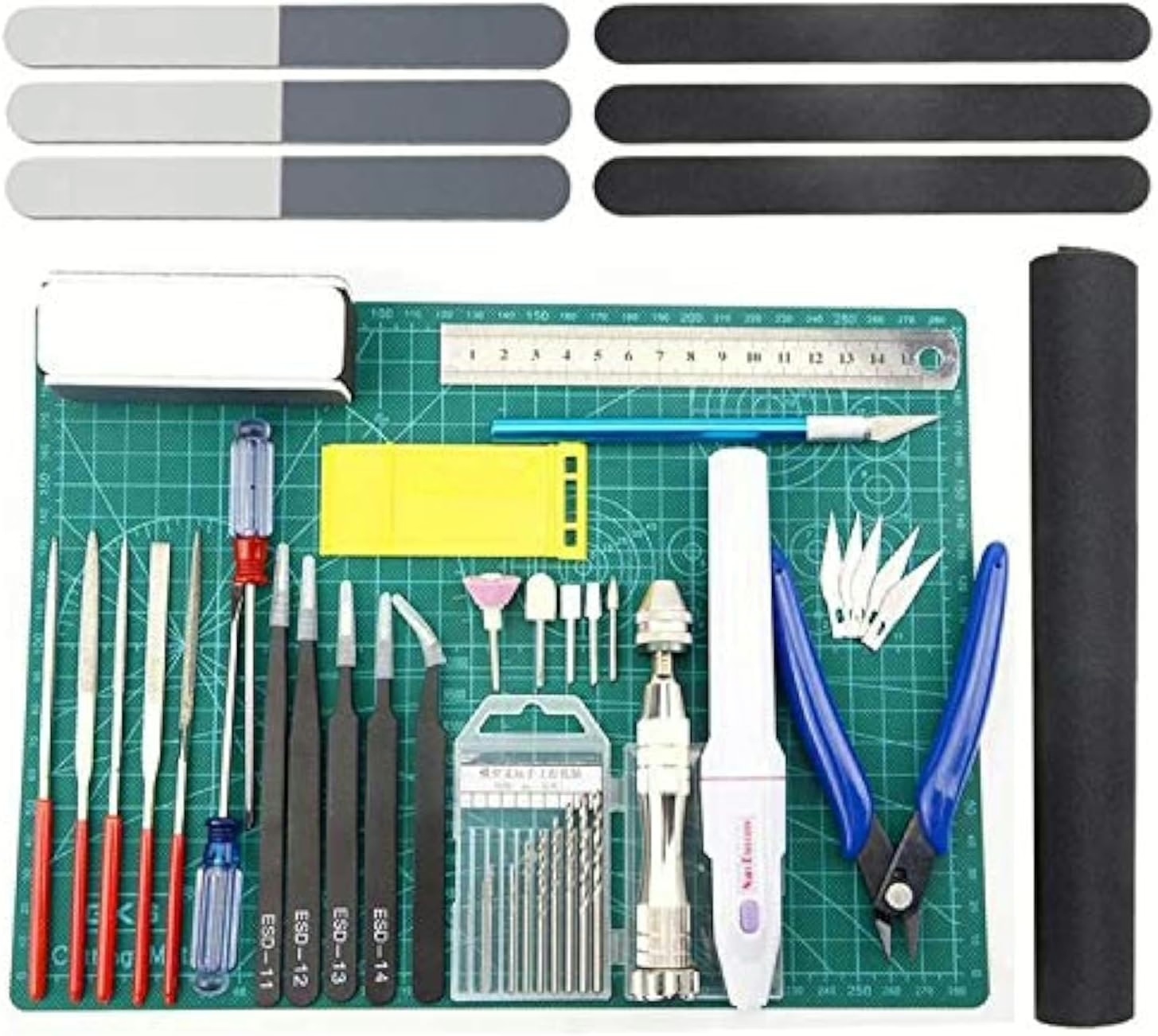
Invest in fresh #11 X-Acto blades before starting this process. Dull blades tear decal film rather than cutting cleanly. Replace blades frequently—cutting decals dulls them rapidly.
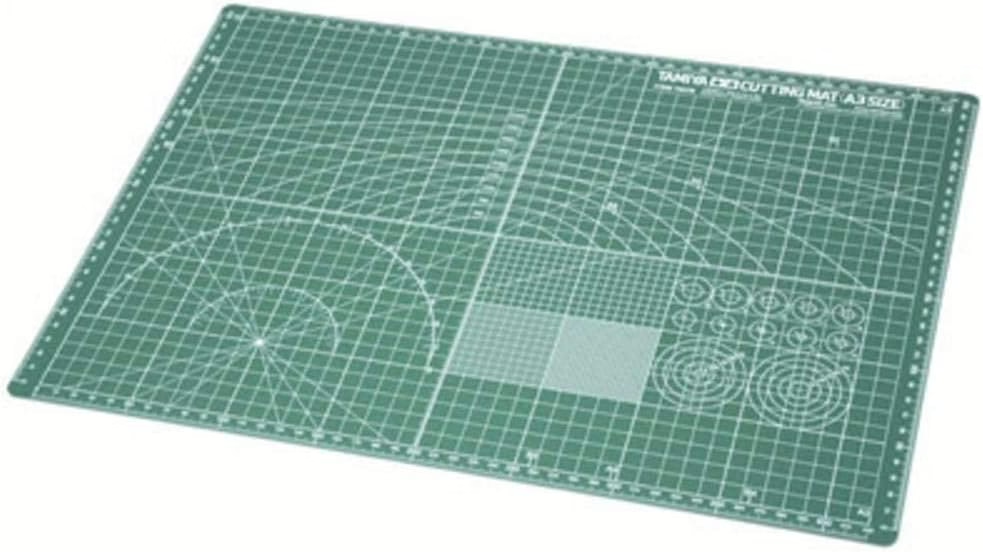
Your cutting surface significantly affects results. Glass plates provide the hardest surface that won’t cut under blade pressure, but they dull blades faster than alternatives. Plexiglas sheets develop surface scratches from repeated cutting but treat blades more gently, extending their life. Choose based on your blade budget and replacement tolerance.
Metal straight edges ensure perfectly straight cuts along decal borders. Plastic rulers flex under blade pressure and cause wavy cuts.
Rough Cutting Individual Decals
Begin by rough-cutting decals from the sheet with approximately 1/8-inch borders around each marking. Never use scissors for this task—bending decal sheets cracks the printed inks, creating visible damage that appears as white lines through your markings. Always use a fresh blade and cut on your chosen surface.
Cut decals one at a time as needed rather than pre-cutting all markings. Separated decals are easier to lose and accumulate dust that interferes with adhesion.
Precision Trimming Clear Film
Precision trimming requires concentration and proper technique. Place the rough-cut decal on your glass or Plexiglas surface. Using your fresh blade and straight edge, carefully trim along the outer edges and perimeters of the printed design. Your goal: remove as much clear carrier film as possible while leaving the printed design intact.
For closely-spaced series like “115B6,” evaluate whether removing perimeter film between characters creates excessive tearing risk. If characters sit very close together, leave minimal connecting film. For widely-spaced numbers, separate each character completely.
National insignia represent the easiest opportunity for complete film removal. The distinct borders between colors allow clean separation of clear areas. Nose art and squadron badges require more careful evaluation—remove as much clear film as practical without compromising intricate design elements.
The most critical trimming involves enclosed clear areas within colored portions. Consider the center of an “A” or a “9”—these holes contain clear film that traps air bubbles if not removed. Use your blade tip to carefully pierce these enclosed areas and cut out the interior film. This tedious work eliminates silvering in locations where it’s most visible.
Special Challenges and Solutions
Small round fuel cap indicators present unique problems. These decals—often simple red circles—have clear film centers that inevitably trap air over the raised detail of actual fuel caps. A punch tool solves this problem elegantly. Position the punch over the decal’s clear center and strike sharply. The tool removes a perfect disc of carrier film, allowing the colored portion to sit directly on the raised surface detail.
Decals with intricate shapes falling near surface depressions require complete carrier film removal despite increased handling risk. The gloss coating you applied in Step 1 provides enough lubrication to compensate for the increased fragility.
Large individual letters demand complete perimeter trimming. These markings—particularly tail codes and fuselage numbers—cover significant surface area. Any remaining carrier film around their borders creates prominent silvering that’s visible across the room.
STEP 3: MASTERING DECAL SETTING SOLUTIONS
With excess carrier film removed, you’re ready for the final step that transforms properly prepared decals into markings that appear painted on: professional application of decal setting solutions.
 Preparing the Workspace
Proper workspace organization prevents mistakes during application. Fill clear glass containers with lukewarm water—not cold, which slows adhesive dissolution, and not hot, which can damage thin decals. Glass containers allow you to see decals clearly during soaking.
Gather Q-Tips for setting solution application, sharp tweezers for handling wet decals, and keep your decal sheets distant from water sources. A single drop on the sheet causes decals to prematurely separate from their backing—a frustrating loss of control.
Setting solution systems typically include two bottles: a wetting agent and a solvent. Separate these bottles on opposite sides of your workbench. This physical separation prevents mixing up applicators—a common mistake that wastes solution and delays work.
Soaking and Initial Application
Submerge your trimmed decal completely in lukewarm water for approximately 10 seconds. Fresh decals typically require minimal soaking time; older decals need longer—sometimes 15-20 seconds—as their adhesive has aged. Avoid letting decals float on the surface (causes premature separation) or sink to the bottom (makes retrieval difficult).
Test readiness by gently sliding the decal across its backing while both remain submerged. The decal should move freely with minimal resistance. If it sticks or drags, continue soaking.
Before removing the decal from water, pre-wet the application area on your model with wetting agent. This creates a slippery surface that allows positioning adjustments.
Slide the decal slightly off its backing while both remain submerged. Grasp the backing edge with tweezers, lift from the water, and position near the application area. Slide the decal completely off the backing directly onto the wetted surface while slowly pulling the backing away. This controlled transfer minimizes handling of the fragile wet decal.
Multiple Applications for Surface Conformity
Here’s where patience proves critical: three to four complete coats of setting solution represent the minimum for proper conformity. Each coat must dry completely before applying the next. Rushing this process prevents the chemical softening effect from working properly.
Apply setting solution liberally over the positioned decal using a Q-Tip. The solution chemically softens the carrier film, pulling it down around raised details. Initially, the decal may wrinkle alarmingly—this is normal and necessary. Do not touch wrinkling decals. As the solvent evaporates, it shrinks the film, pulling wrinkles tight and conforming to every surface contour.
If air bubbles appear under the decal, pop them carefully with a pin tip. Apply more setting solution to the area and press gently with a damp Q-Tip. The solution wicks into the pinhole, softening the film so it fills the void.
Some decals—particularly large ones or those crossing pronounced panel lines—require six or more setting solution applications before achieving perfect conformity. Evaluate after each dried application. If edges remain lifted or the decal doesn’t follow rivet detail closely, apply another coat.
Working Time and Positioning
Setting solutions provide a working window for repositioning before adhesion becomes permanent. Keep the decal wet during this period by applying solution or water as needed. For level lettering and evenly-spaced markings, make positioning adjustments while you can still slide the decal.
Avoid excessive pressure during positioning—wet decals tear easily. Use gentle dabs with a damp Q-Tip rather than aggressive rubbing. The Q-Tip absorbs excess solution while encouraging the decal to settle without damage.
Final Cleanup and Sealing
After the final setting solution application dries completely—typically overnight—use damp Q-Tips to clean residual decal glue and setting solution from around markings. This residue creates a glossy halo that reveals decal edges if not removed.
Seal all decals with clear flat (for flat-finished aircraft) or clear gloss (for gloss-finished aircraft) to restore the surface appearance. This sealing coat sandwiches the decal between layers of varnish, making carrier film invisible even under close examination. The clear coat also protects markings during subsequent weathering steps.
ADVANCED TECHNIQUES FOR PROBLEM DECALS
Even with perfect technique, certain decals present special challenges. These situations require additional strategies beyond the three-step system.
Dealing with Stubborn Round Decals
Those infamous red fuel cap indicators resist setting solutions more stubbornly than any other marking. Their simple circular shape over raised detail creates the perfect storm for silvering. The punch tool technique described in Step 2 provides the most reliable solution, but an alternative approach works when punches aren’t available.
Apply additional setting solution coats—sometimes 8-10 applications—with extended drying time between each. The repeated chemical attacks eventually break down the carrier film enough to achieve conformity. This brute-force method demands patience but succeeds when simpler techniques fail.
Handling Decals Near Surface Features
When decal edges fall adjacent to panel lines, rivets, or surface depressions, even minimal carrier film prevents proper contact. These situations demand complete film removal despite the risk of tearing during handling. The gloss foundation you applied in Step 1 provides just enough lubrication to compensate for increased fragility.
If a decal tears during application, don’t panic. Position the torn pieces as accurately as possible, apply setting solution, and allow complete drying. The final clear coat often renders tears nearly invisible. If the tear remains noticeable, carefully apply a thin line of matching paint to fill the gap.
Working with Aged or Brittle Decals
Older decal sheets—particularly those from 1980s and 1990s kits—require special handling. Their adhesive has degraded, making them brittle and prone to shattering rather than sliding cleanly off backing.
Extend soaking times significantly—sometimes up to a minute—to fully dissolve aged adhesive. Handle with extreme delicacy during transfer. Consider applying additional wetting agent to the decal surface before attempting to slide it from backing. This extra lubrication helps prevent tearing.
If a vintage decal proves too fragile for application, investigate aftermarket replacement options from specialist manufacturers. Many companies produce updated decal sheets for classic kits. Contact kit manufacturers directly—many maintain archives and can provide replacement sheets for older products.
COMMON MISTAKES AND HOW TO AVOID THEM
Understanding frequent errors helps you avoid frustration and wasted decals. These mistakes occur even among experienced modelers, particularly when rushing or skipping preparatory steps.
Skipping the gloss coat entirely represents the most common—and most catastrophic—error. Decals applied directly to flat paint silver extensively, and no amount of setting solution corrects this fundamental problem. Always gloss coat, even if you’re certain a particular decal will work without it. The three-step system’s power comes from applying all three steps systematically.
Applying gloss only to decal areas creates the spot-glossing problem discussed in Step 1. Those glossy patches become visible under certain lighting, particularly on light-colored aircraft. Coat the entire model to eliminate detection risk.
Insufficient clear film removal wastes your trimming efforts. If you leave large clear borders around markings, silvering occurs despite your gloss foundation. Be aggressive during trimming—err toward removing too much rather than leaving excess.
Using too few coats of setting solution prevents proper conformity. The first application rarely achieves full adhesion around panel lines and rivets. Plan on minimum three coats, more for large or complex decals. Patience during this stage separates excellent results from merely acceptable ones.
Removing decals from water before they’re fully ready causes tearing and folding. If the decal sticks to the backing or resists sliding, it needs more soaking time. This extra 10-15 seconds prevents frustration and lost markings.
Excessive pressure during positioning tears wet decals. Use the lightest touch possible when adjusting alignment. The setting solution provides working time—use it rather than forcing decals into position immediately.
Inadequate final sealing leaves carrier film edges visible despite perfect application. That concluding clear coat isn’t optional—it’s the step that makes carrier film vanish completely. Flat coat for combat aircraft, gloss for polished metal finishes.
PRESERVATION AND LONG-TERM STORAGE
Quality decals represent valuable resources. Proper storage extends their usable life and prevents premature degradation.
Store decal sheets in sealed containers to prevent moisture exposure. Excess humidity causes the water-soluble adhesive to break down, resulting in decals that separate prematurely from their backing or refuse to adhere properly. Silica gel packets inside storage containers absorb environmental moisture.
Protect decals from light exposure. Ultraviolet radiation degrades printed inks, causing fading and color shifts. Store sheets in opaque containers or wrap in aluminum foil.
Maintain stable temperature and humidity in your storage area. Extreme fluctuations accelerate adhesive degradation. Room temperature storage in a climate-controlled space provides ideal conditions.
Organize decals by aircraft type, kit manufacturer, or scale to simplify future projects. Clear labeling prevents confusion when searching for specific markings years after storage.
For irreplaceable decals—particularly those from out-of-production kits—consider making color photocopies for reference. These copies can’t replace the originals but preserve information about markings, colors, and placement if the actual decals deteriorate.
When aged decals prove unusable, investigate replacement sources. Scale modeling conventions feature dealers specializing in aftermarket decals. Online retailers stock thousands of options. Many aftermarket manufacturers produce superior sheets compared to original kit decals.
CONCLUSION: CONFIDENCE FOR EVERY BUILD
The three-step system for eliminating silvering isn’t complicated—it’s simply systematic. Gloss coating provides the perfect foundation. Carrier film removal eliminates unnecessary clear areas where air traps. Setting solutions chemically conform decals to every surface contour. Apply these steps consistently, and silvering becomes a problem you read about rather than experience.
Decals applied using this method genuinely appear painted onto the model. Carrier film vanishes. Markings follow panel lines and rivets precisely. Colors appear vibrant and crisp. This is the hallmark of professional-quality finishing—the difference between a model that looks like a toy and one that captures the essence of the full-size aircraft.
Expect a learning curve. Your first few attempts may result in torn decals or positioning mistakes. These failures are normal and necessary—each teaches lessons that improve subsequent builds. Even master modelers occasionally lose decals during application. The difference is they understand why it happened and adjust technique accordingly.
Protecting hours of building and painting with perfect decal application is achievable by anyone willing to follow a systematic approach. You’ve already invested significant time in construction and finishing. These three additional steps ensure that final investment pays off with markings worthy of your craftsmanship.
The next time you open a decal sheet, you’ll approach it with confidence rather than dread. That milky silvering that once plagued your builds becomes a distant memory. Your models will earn compliments on their markings rather than apologies for visible flaws. That transformation—from apprehension to mastery—makes learning the three-step system worth every careful blade cut and patient setting solution application.

Key Takeaways
- Silvering occurs when air traps between decal carrier film and microscopically rough paint surfaces. Gloss coating creates the smooth foundation that eliminates air pockets and prevents that silvery haze from appearing around markings.
- Remove excess clear carrier film before application using sharp blades on glass or Plexiglas surfaces. Trim around design perimeters and cut out enclosed clear areas within letters—this elimination of unnecessary film prevents silvering in the most visible locations.
- Apply three to four coats of decal setting solution with complete drying between applications. These chemicals soften the carrier film so it conforms around panel lines and rivet detail, pulling the decal tight against the surface for perfect conformity.
- The three-step system works together as a complete process—skipping any step compromises results. Gloss the entire model, trim carrier film aggressively, and apply setting solutions patiently for professional markings that appear factory-painted rather than applied afterward.