


Your airline’s seatback screen still runs on a 3.5mm jack. Your headphones don’t. A wireless flight audio transmitter bridges that gap in seconds — here’s exactly what to buy and how to use it.
The In-Flight Audio Problem No One Warned You About
Picture this: you’ve just settled into your window seat for a seven-hour flight to London. You’ve got a fresh playlist queued, a new movie downloaded, and a pair of premium noise-canceling headphones around your neck. You reach for the seatback screen, locate the headphone jack — and stop cold. It’s a 3.5mm port. Your headphones are wireless-only. The airline’s complimentary earbuds are sealed in a thin plastic bag on your tray table, and you know exactly how they sound.
This is not an edge case. It’s the defining friction point of air travel in 2026. Consumer audio moved decisively to wireless beginning around 2016, when major device manufacturers started eliminating the headphone jack from smartphones and conditioning passengers to rely on Bluetooth exclusively. The aircraft cabin, however, operates on an entirely different upgrade cycle — one governed by FAA safety certifications, multi-decade airframe lifespans, and the crushing economics of fleet retrofitting.
The result: millions of travelers board flights every day with high-fidelity wireless headphones they cannot connect to the one screen directly in front of them. The fix is a small, inexpensive device called a wireless flight audio transmitter — and once you know how it works and what to look for, you’ll never board without one.
Why Your Bluetooth Headphones Don’t Work With the Seatback Screen
The gap between your gear and your seat isn’t an oversight. It’s an engineering reality rooted in decades of aviation infrastructure.
Most commercial aircraft — including the entire narrow-body fleets operated by U.S. carriers — use seatback IFE systems that output audio through analog jacks: either a standard 3.5mm port or an older proprietary dual-prong connector with a 0.206-inch pin spacing that was designed for pneumatic-era headsets. Neither transmits Bluetooth.
The electrical architecture compounds the problem. Aircraft IFE systems are engineered with an impedance rating of around 1,000 ohms and operate at approximately 300 millivolts — compared to the 32-ohm impedance and 1-volt output of standard consumer headphones. Plug a set of wired earbuds directly into a dual-prong seat without an impedance-matching circuit and you’ll get audio that’s faint, phase-cancelled, and loaded with noise-floor hiss — a loss of up to 60% in effective volume.
The global in-flight entertainment and connectivity market is projected to reach $10.60 billion in 2026 and $22.50 billion by 2034, and the three major U.S. carriers are all mid-retrofit: United Airlines’ ‘United Next’ initiative aims to install seatback screens fleet-wide, with nearly 400 aircraft already equipped with Bluetooth audio pairing as of 2025, using Panasonic Avionics’ Astrova system on new 787 and A321XLR deliveries. The modernization is real — but the scale of global fleets guarantees that analog jacks will remain the dominant standard well into the 2030s. For the traveler sitting in a seat today, the wireless audio transmitter is the only solution that works right now.
What a Wireless Flight Audio Transmitter Actually Is
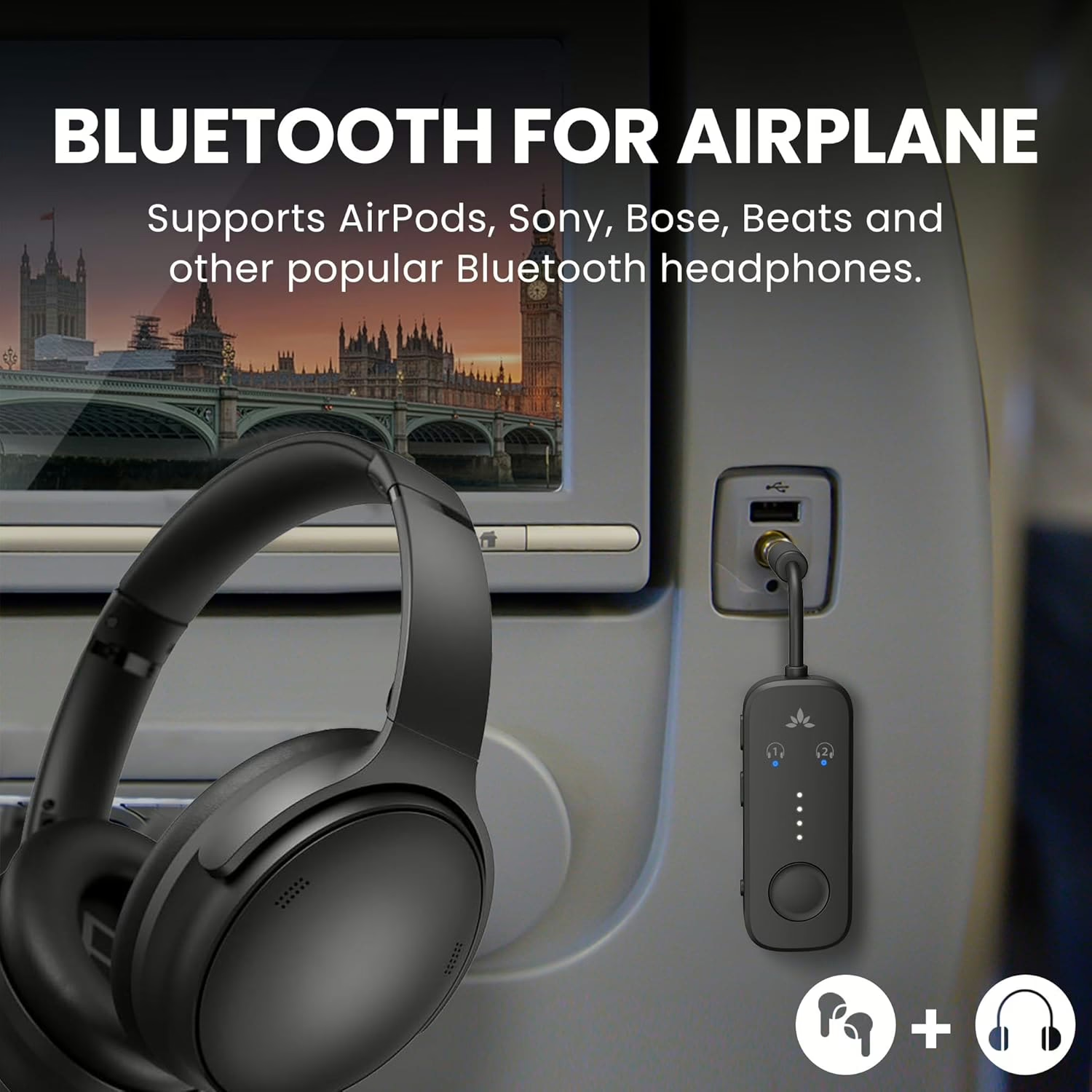
A wireless flight audio transmitter is a compact device — typically smaller than a USB thumb drive — that plugs into the 3.5mm headphone jack of your seatback IFE screen and broadcasts the audio signal wirelessly to your Bluetooth headphones.
Inside the device, an Analog-to-Digital Converter (ADC) captures the low-voltage analog signal from the aircraft, digitizes it, and routes it to a Bluetooth System-on-Chip (SoC) — often manufactured by Qualcomm. The SoC compresses that data using a codec, modulates it onto a 2.4 GHz radio frequency, and sends it to your headphones. Your headphones receive it and play it back as if they were paired to any standard Bluetooth device.
One distinction matters enormously before you buy. The consumer electronics market is full of “Bluetooth audio adapters” that operate exclusively in Receive (RX) mode — meaning they accept a Bluetooth signal from your phone and convert it to wired audio for older speakers or stereos. That’s the opposite of what you need on a plane. For in-flight use, you need a device that operates in Transmit (TX) mode: it takes the wired audio from the seat and sends it wirelessly to your headphones. Many devices on the market are labeled as “2-in-1 transmitter and receiver” kits and support both directions via a physical toggle — these offer the best value because they’re useful at home too.
The 7 Specs That Separate a Great Transmitter From a Frustrating One
Not all wireless audio transmitters perform equally in the hostile electromagnetic environment of a pressurized cabin. Here’s what to evaluate before you buy.
- Audio latency. This is the single most important specification for in-flight use. Latency is the delay — measured in milliseconds — between the audio signal leaving the IFE screen and the sound arriving at your ears. Psychoacoustic research puts the human detection threshold at 40 to 50 milliseconds; once latency exceeds 150 to 200 ms, lip-sync delay becomes impossible to ignore during dialogue-heavy scenes. Any transmitter you buy for video must keep latency below that 40ms threshold.
- Codec support — matched to your headphones. The codec is the compression algorithm that determines both audio quality and latency. A transmitter and headphones must share a compatible codec to perform at their best; otherwise, they automatically fall back to the lowest common denominator. Here’s the hierarchy that matters for IFE use:
| Codec | Typical Latency | IFE Suitability |
| aptX Low Latency (aptX LL) | 30–40 ms | ✅ Ideal for video |
| LC3 (Bluetooth LE Audio) | 30–50 ms | ✅ Ideal for video |
| aptX Adaptive | 80–100 ms | ✅ Good for most content |
| AAC | 120–150 ms | ⚠️ Variable; noticeable on some content |
| SBC | 200–220 ms | ❌ Avoid for video — severe lip-sync delay |
| LDAC | 200+ ms | ❌ Designed for music, not video |
- Bluetooth version. Bluetooth 5.3 is the current market baseline for premium devices, offering strong interference mitigation. Bluetooth 5.4 adds native support for LE Audio and the Auracast broadcast protocol. Bluetooth 6.0 — whose specification was finalized by the Bluetooth SIG in September 2024, with consumer devices arriving through 2025 — brings an Isochronous Adaptation Layer (ISOAL) enhancement that fragments data more efficiently, reducing latency across all codecs and boosting stability in signal-dense environments like a full aircraft cabin.
- Battery life. A transmitter with a minimum of 15 hours of continuous output covers the vast majority of U.S. domestic and transatlantic routes with margin to spare. Premium 2026 models push 25 to 30 hours on a single two-hour USB-C charge.
- Multipoint / dual-link pairing. If you’re traveling with a partner or child, look for a device that can simultaneously stream to two sets of headphones from a single IFE audio source.
- Dual-prong adapter compatibility. Older wide-body aircraft use a dual-prong ARINC connector instead of a standard 3.5mm port. Quality transmitter kits include a passive adapter that correctly sums both audio channels into a stereo signal, preventing the phase cancellation and volume loss that happens when a single 3.5mm plug is forced into a dual-mono system.
- Physical form factor. A rigid, heavy dongle protruding directly from an armrest jack acts as a mechanical lever — one blanket snag or armrest shift can snap the 3.5mm pin off inside the seat hardware. Opt for a transmitter with a short, flexible tether cable and a total weight under 25 grams.
Step-by-Step: How to Set Up Your Wireless Audio Transmitter Before and During Your Flight
Before You Leave Home (Takes 5 Minutes)
Step 1. Charge the transmitter to 100% via USB-C. Don’t assume you can top it off at the airport — wall outlets at gates are contested real estate.
Step 2. Pair the transmitter with your headphones at home. Because most transmitters use LED blink sequences rather than a screen to guide pairing, doing this in a calm environment saves real frustration at the gate. Once paired, the devices will auto-reconnect on every subsequent use.
On Board
Step 1. Plug the transmitter’s 3.5mm jack firmly into the IFE audio port on your seat’s armrest or seatback panel. If your seat uses a dual-prong connector, attach the supplied adapter first, then connect the transmitter to the adapter’s 3.5mm output.
Step 2. Power on the transmitter. Most activate automatically upon insertion; look for the LED to begin blinking in search mode.
Step 3. Before powering on your headphones, open your phone’s Settings and disable Bluetooth entirely. This is a mandatory step — if your phone’s Bluetooth is active, your headphones will auto-connect to the familiar device and ignore the transmitter.
Step 4. Power on your Bluetooth headphones. The transmitter will complete the handshake within five to ten seconds on first use; on subsequent flights, the reconnection is nearly instant.
Step 5. Start media playback on the IFE touchscreen and set the IFE volume to maximum. The IFE volume control governs the source signal level — use your headphone’s physical controls to set your preferred final listening volume.
⚠️ Ground Loop Warning: Do not charge the transmitter using the USB port built into your seat while it’s also plugged into the audio jack. The aircraft’s USB ground and IFE audio ground run to different points in the airframe, and the resulting voltage differential creates an audible 50Hz or 60Hz hum in the audio stream. Run the transmitter on its internal battery, or charge it from a portable power bank in your lap.
Quick Troubleshooting
- No audio: Confirm IFE is playing and volume is above zero. Verify the transmitter is powered on and the jack is fully seated.
- Audio cutting out: The 2.4 GHz band in a full aircraft cabin is crowded with competing signals. A premium transmitter uses Adaptive Frequency Hopping (AFH) to dodge interference — if yours doesn’t, consider an upgrade.
- Lip-sync delay: Your transmitter and headphones have defaulted to SBC. Verify codec compatibility — if both devices support aptX LL, confirm it’s selected in your headphone app.
The Pitfalls That Catch First-Time Buyers Off Guard
Buying a receiver-only device. Inexpensive “Bluetooth adapters” marketed for home stereos usually operate only in RX mode — they receive Bluetooth and output wired audio. That’s the wrong direction entirely. Verify that the product listing explicitly states TX (transmit) functionality.
Ignoring codec alignment. Apple AirPods and AirPods Pro support AAC and SBC — not aptX. If you pair them with a transmitter that achieves low latency only through aptX LL, both devices will default to SBC and you’ll watch every movie out of sync. Match your transmitter’s codec list to your specific headphones before purchasing.
Assuming every seat still has a 3.5mm jack. Certain new fleet configurations — including select Airbus A321neo and A321XLR deliveries for Delta and American Airlines — are removing the analog headphone jack entirely in favor of integrated seatback Bluetooth or USB-C audio. Check your specific aircraft type via the airline’s app or SeatGuru before your trip.
Using a rigid dongle without a flex cable. Transmitters without a flexible tether are one armrest bump away from snapping a 3.5mm pin inside the seat hardware — a repair that grounds the port for the duration of the flight.
Our Top Picks: The Best Wireless Flight Audio Transmitters in 2026
Best overall — Twelve South AirFly Pro 2. Built on Bluetooth 5.3 with support for aptX Adaptive, aptX Low Latency, aptX HD, and SBC, the AirFly Pro 2 weighs just 16.5 grams and claims over 25 hours of battery life on a two-hour USB-C charge.. Its dedicated “Pair 1” and “Pair 2” physical buttons make dual-headphone pairing the simplest experience on the market. The choice for frequent fliers, especially those deep in the Apple ecosystem.
Best for tech enthusiasts — Avantree Voyager. The only transmitter on the market built on Bluetooth 5.4 with native LC3 codec and Auracast broadcast support, the Voyager streams ultra-low-latency audio (30–50 ms) to an unlimited number of Auracast-compatible devices simultaneously — including compatible hearing aids. Its OLED screen displays your active codec, connection status, and exact battery percentage, eliminating all guesswork. Battery life is 15 hours.
Best value — 1Mii SafeFly Mini+. With a 250mAh battery delivering 25 to 30 hours of operation, a full codec suite including AAC (critical for AirPods users avoiding the SBC trap), aptX Adaptive, aptX Low Latency, and aptX HD, plus an OLED display and full 2-in-1 TX/RX functionality, the SafeFly Mini+ delivers flagship features at a mid-range price. The best dollar-for-dollar buy in the category.
Best budget pick — UGREEN Bluetooth 6.0 Transmitter/Receiver. One of the first consumer audio devices to adopt Bluetooth 6.0, the UGREEN unit leverages ISOAL enhancements for improved signal stability in congested cabin environments. It supports LDAC, AAC, and SBC, provides 16 hours of TX battery life, and includes a built-in flexible 3.5mm tether cable. The right call for budget-conscious travelers who don’t want to sacrifice the latest hardware architecture.
Best for couples — Avantree Relay. Stripped-down by design, the Relay is a TX-only device built on Bluetooth 5.3 with aptX Adaptive, aptX Low Latency, and SBC support, 20 hours of battery, and an ultra-light 15-gram chassis. Its singular focus is flawlessly stable dual-headphone pairing — no mode switches, no extraneous features, no user error. At its price, it’s the ideal mid-tier pick for two people sharing a single IFE audio source.
Your Headphones, Untethered — Starting With Your Next Boarding Pass
The gap between the seat and your headphones is a solved problem. It weighs less than a deck of cards and fits in the same pocket as your boarding pass. United, Delta, and American are spending billions to bring Bluetooth natively to every seat — and that transition will play out over the next decade. Until then, the wireless flight audio transmitter is the only tool that works on every aircraft, every route, and every airline today.
Pick the right device, charge it the night before, pair it at home, and disable your phone’s Bluetooth before you board. Do those four things and you’ll spend the next seven hours watching exactly what you want to watch, in genuine acoustic isolation, without a single wired earbud in sight. Add one to your carry-on checklist before your next flight prints.

Key Takeaways
- Most commercial aircraft still use analog 3.5mm or dual-prong audio outputs; native Bluetooth at the seat won’t be universal until the 2030s.
- A wireless flight audio transmitter plugs into the IFE jack and streams audio to your Bluetooth headphones — but it must operate in TX (transmit) mode, not RX mode.
- Codec compatibility is critical: aptX Low Latency and LC3 keep latency under 40 ms for lip-sync-free video; SBC (200+ ms) makes video unwatchable.
- Disable your phone’s Bluetooth before pairing, and never charge the transmitter from the aircraft’s USB port — doing so creates an audible ground loop hum.