


Stuck with flimsy airline earbuds again? A pocket-size Bluetooth transmitter can put your own wireless headphones on the seatback screen. Here’s how to check, pair, pick, and troubleshoot one.
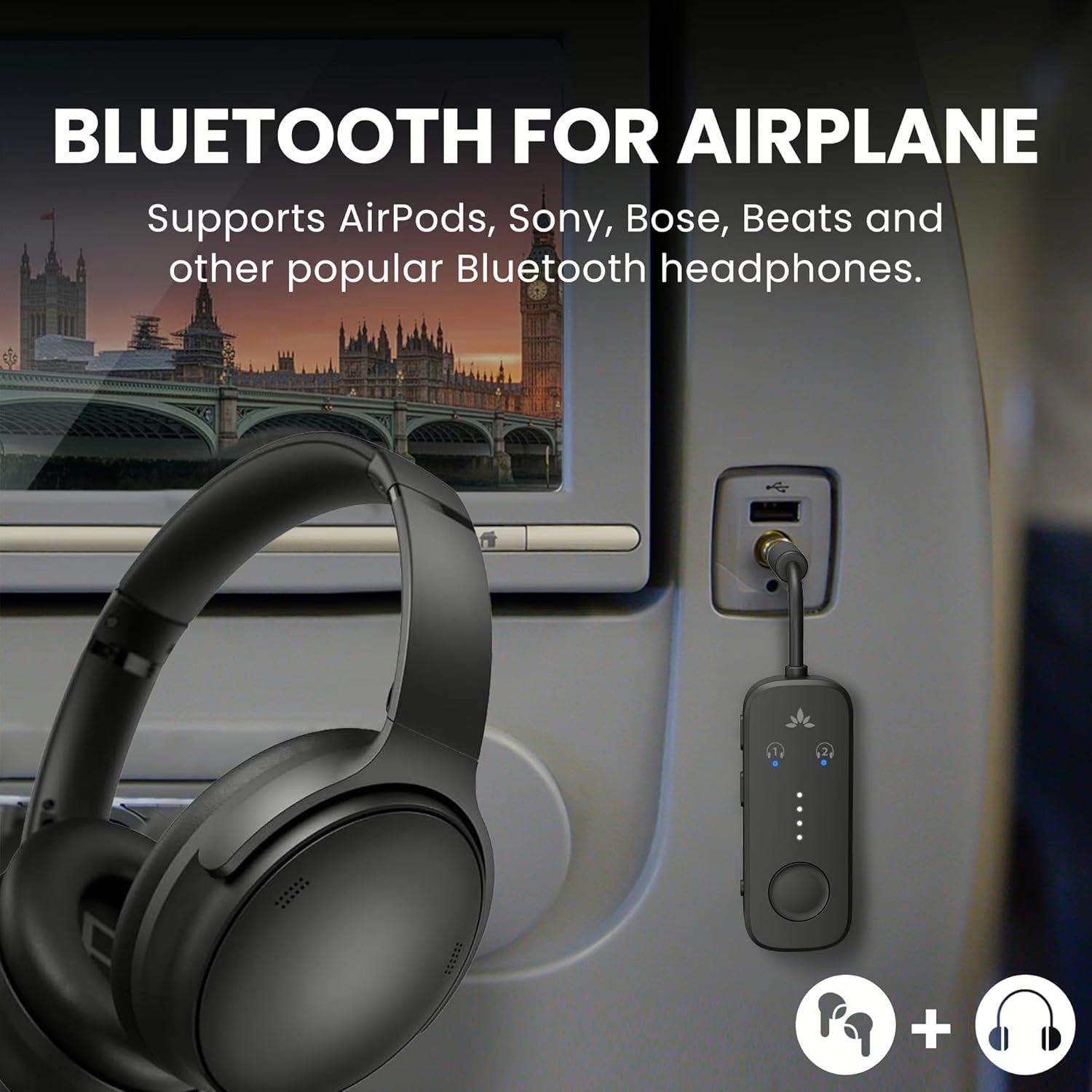
If the seatback screen in front of you offers only a wired headphone jack, your AirPods and other Bluetooth headphones have nothing to connect to. The fix is a small, battery-powered wireless audio Bluetooth transmitter: a gadget that takes the wired audio coming out of the jack and sends it to your headphones over Bluetooth. Plug it in, pair it with your headphones, and the in-flight movie plays through the headphones you actually like wearing.
Before you spend a dime, check whether your plane already has Bluetooth built in. Some aircraft let you pair headphones directly with the screen. United Airlines documents a step-by-step process for its Bluetooth-equipped planes, for example. On those flights, a transmitter has nothing to do.
So why think about this now? U.S. carriers are adding Bluetooth audio, but each on its own schedule. On August 18, 2026, American Airlines announced that new Airbus and Boeing narrow-body jets delivered starting in 2028, plus retrofitted aircraft, will get seatback screens with Bluetooth audio. The airline expects to finish early next decade. Reuters called the decision a reversal of American’s earlier strategy of relying on passengers’ own devices. Those are plans, not screens you can use today. Until your aircraft offers built-in pairing, a transmitter is the bridge between your headphones and the screen.
At a Glance: The Fix in Six Steps
- Check the screen for a built-in Bluetooth option first.
- Charge the transmitter before you leave home.
- Pair your headphones with the transmitter at home.
- Pack the connector adapter your seat’s jack requires.
- Plug into the audio output, start the movie, and check the sound.
- Raise the volume gradually until it’s comfortable.
What You Need Before You Board
The kit is short, and you may already own half of it:
- A Bluetooth transmitter with a 3.5mm plug. Our picks are below.
- Your wireless headphones or earbuds, fully charged. A charged transmitter can’t help if your earbuds die halfway through the movie.
- The transmitter’s charging cable and a compatible power source. Check the box contents before you leave; cables vary by model.
- A two-prong airline adapter, if your seat’s socket calls for one. Some transmitters include one, and others don’t.
- Your headphone maker’s pairing instructions. Pairing gestures differ from model to model, even within the same brand.
- Optional: a short extension cable. Buy one only after you’ve checked how your transmitter actually fits the jack.
Time and money. Leave time for charging on top of a short pairing practice at home. Twelve South says its AirFly Pro 2 fully charges within two hours. The transmitters below range from budget to upper-midrange.
Four terms worth knowing:
- 3.5mm jack: the standard round headphone connection.
- Two-prong jack: an airline socket with two pins, which needs a matching two-prong adapter.
- Latency: the delay between what you see and what you hear.
- Codec: the method a Bluetooth device uses to encode and decode audio. Codecs matter here because, as Avantree’s guide to audio lag explains, low-latency operation depends on both ends supporting the same codec. A transmitter can’t add a low-latency mode your headphones lack.
How to Connect Wireless Headphones to a Seatback Screen, Step by Step
One distinction matters before you start. Pairing your headphones with your phone is a different task from pairing them with the transmitter. Avantree’s Relay user manual tells users to pair their headphones with the Relay itself, not to look for the Relay in a phone’s Bluetooth menu. The steps below use the Twelve South AirFly Pro 2 and Avantree Relay as examples. Follow the exact procedure for your model.
At Home (the Night Before)
Warning: Check the mode switch before you pair. If your transmitter has a TX/RX switch, set it to TX (transmit). According to Twelve South, TX sends audio from a wired source to your headphones, which is the job you need done on a plane. RX (receive) does the opposite: it sends phone audio into an AUX input, such as a car stereo.
- Charge the transmitter fully with its specified cable and power supply.
- Set the switch to TX, if your model has one.
- Disconnect your headphones from your phone, tablet, or computer. Twelve South’s AirFly Pro 2 pairing instructions flag a headphone still connected to another device, such as an iPhone or Mac, as a reason pairing fails.
- Put your headphones into pairing mode the way your model requires. Apple’s instructions for pairing AirPods with a non-Apple device differ by model:
- AirPods (1st through 3rd generation) and AirPods Pro (1st and 2nd generation): Press and hold the setup button on the back of the case until the light flashes white.
- AirPods 4, AirPods 5, and AirPods Pro 3: Double-tap the front of the case.
- AirPods Max: Press and hold the listening-mode button until the light flashes white.
- Start pairing on the transmitter and wait for confirmation. On the Pro 2, Twelve South says the light flashes amber and white during pairing. If pairing doesn’t start, hold the PAIR 1 button for four seconds. On the Relay, Avantree’s setup guide says a solid blue light means you’re connected.
- Adding a second headset: On the Pro 2, hold PAIR 2 for four seconds. The matching indicator stays lit for ten seconds after a successful connection, according to Twelve South’s shared-listening guide. For the Relay, Avantree’s dual-link guidance says to keep the first set connected while you pair the second.
- Test playback, then pack. Plug the transmitter into any device with a headphone output and play something. Once audio comes through your headphones, put the transmitter, any adapter, and the charging cable in your personal item, not your checked bag. (The battery rules are below.)
On Board
- Find the headphone jack and match the connector. Jack placement varies from seat to seat. Check whether the socket is a single round hole or a two-prong socket, and attach your adapter if needed.
- Seat the plug and any adapter completely. Twelve South says the Pro 2’s two-prong adapter is a snug fit and should be pushed in firmly until it clicks. If the socket is labeled, Avantree’s setup guide warns to use AUDIO OUT, not AUDIO IN.
- Power on the transmitter and let your headphones reconnect. The Pro 2 remembers the last two connected devices. Twelve South estimates about 15 seconds to reconnect the first and about 35 seconds for the second.
- Start your movie.
- Raise the volume gradually, in three places. The Relay manual treats the source (here, the seatback screen), the transmitter, and the headphones as three separate volume controls. If any one is low or muted, connected headphones can stay silent. Turn each up a little at a time until the sound is comfortable.
- Run a quick check. Play a scene with dialogue. Make sure you hear sound in both ears, the voices are clear, and lips match the words. Shift in your seat as you normally would and keep listening. If anything is off, skip to the troubleshooting section below.
Before You Land
Unplug and pack up when it’s permitted. Return the transmitter, adapter, and cable to your personal item, and check the seat pocket and armrest before you head up the aisle. A gadget this small is easy to leave behind. If a flight attendant asks you to disconnect or stow equipment earlier, do it.
Pro Tip: Leave the transmitter paired with your usual headphones. Twelve South says the Pro 2 keeps previously paired headphones in memory, so you don’t need a fresh pairing session for every trip. Still, confirm it reconnects before you leave home, especially after a reset or a headphone upgrade.
If Your Plane Already Has Bluetooth: How to Pair Directly
Start with the screen in front of you, not the airline’s name. An aircraft type on your booking doesn’t guarantee a particular interior, so check the screen’s menu for a Bluetooth option or ask a flight attendant.
United Airlines. United’s June 29, 2021, fleet announcement described Bluetooth throughout its new signature interiors and expected the first Boeing 737 MAX 8 with that interior that summer. In October 2023, the airline said it had more than 100 Bluetooth-equipped planes and expected about 800 by 2032. Those were the figures at the time, not a current count. A March 24, 2026, announcement also described Bluetooth on the new Coastliner A321neo and A321XLR interiors.
United’s documented pairing sequence:
- Select the Bluetooth icon on the seatback screen.
- Turn Bluetooth on.
- Disconnect your headphones from any other device.
- Put your headphones in pairing mode.
- Select them from the screen’s list of available devices.
Follow what your screen actually shows, since menus can change.
Delta Air Lines. At CES in January 2025, Delta described Bluetooth on selected new aircraft deliveries starting in 2026. A later April 13, 2026, announcement says new Airbus A350-1000s will arrive in early 2027. Those aircraft and refreshed A330-200s and A330-300s will have Bluetooth in every cabin.
American Airlines. Bluetooth audio is part of the screen rollout American announced for 2028 onward. For now, the carrier says it offers free entertainment on your own device on most Wi-Fi-equipped flights and seatback screens on select flights.
Our take: Even if your usual airline is adding Bluetooth, a different aircraft or cabin configuration can put you in a seat without it. That’s the strongest argument for keeping a transmitter in your bag.
The Best Wireless Audio Bluetooth Transmitters for Flying Right Now
These picks are matched to specific needs rather than ranked against one another. The Deluxe is a bundled version of the Pro 2, so the four entries cover three transmitters. All specs, including battery life, are manufacturer figures.
Twelve South AirFly Pro 2 Best for: Couples, families, and anyone sharing a screen
The AirFly Pro 2 connects two sets of headphones at once, with separate PAIR 1 and PAIR 2 controls for each listener. It also works in receive mode, so it can do a second job in a car.
- Headphones at once: Two
- Battery: 25-plus hours, per Twelve South
- Charging: USB-C
- Connector: 3.5mm
- Modes: Transmit (TX) and receive (RX)
- Codecs: Twelve South’s codec support page lists aptX Adaptive, aptX Low Latency, aptX HD, aptX, and SBC (Subband Codec) in TX mode. RX mode lists aptX HD, aptX, AAC (Advanced Audio Coding), and SBC.
- Bluetooth version: 5.3, according to Twelve South’s April 2025 product explainer
Pros: Separate pairing controls for two listeners; receive mode for car stereos and other AUX-in devices Cons: One more battery to keep charged; the standard box doesn’t include the two-prong adapter that comes in the Deluxe
Price tier: Midrange
Twelve South AirFly Pro 2 Deluxe Best for: Travelers who want a two-prong adapter in the box
The Deluxe is the same Pro 2 transmitter with Twelve South’s International Airline Adapter and a premium faux-suede bag added. You’re paying for convenience, not a different audio platform. Whether you need the adapter depends on the socket in your seat, not on whether the flight is international or what cabin you’re in.
- Transmitter: AirFly Pro 2
- Extras: International Airline Adapter; faux-suede storage bag
- Dimensions: About 2.2 x 1.1 x 0.4 inches (56.6 x 29 x 11.2 mm)
- Weight: About 0.58 ounce (16.5 grams)
Pros: One purchase gets you the transmitter, two-prong adapter, and storage Cons: No audio advantage over the standard Pro 2; the adapter matters only if you meet a two-prong socket
Price tier: Upper-midrange
Twelve South AirFly SE Best for: Solo travelers on a budget
The AirFly SE does one thing: it connects one pair of headphones. If you fly alone and simply want your own earbuds on the screen, that may be all you need.
- Headphones at once: One
- Battery: Up to 20 hours, per Twelve South
- In the box: USB-A-to-USB-C charging cable
- Indicator lights: Twelve South’s 2024 owner’s guide describes white and amber flashing during pairing, a white light once connected, and automatic reconnection to remembered headphones.
Pros: Simple one-headset setup; charging cable included Cons: Can’t connect a second headset; if you want car-stereo duty, the Pro 2’s receive mode is the better fit
Price tier: Budget
Avantree Relay Best for: Low-latency listening with compatible headphones
The Relay supports two headphones and includes a dual-prong adapter. Its standout spec is support for aptX Adaptive and aptX Low Latency, which helps only if your headphones support the same codec.
- Headphones at once: Two
- Battery: Up to 25 hours, per Avantree
- Bluetooth version: 5.3
- Codecs: aptX Adaptive, aptX Low Latency, aptX HD, aptX, and SBC
- Charging: USB-C
- In the box: Avantree’s listing shows a USB-C cable, travel pouch, and dual 3.5mm adapter
- Design: Transmitter only, with no microphone
Key caveat: Avantree warns that AirPods don’t support aptX Adaptive or aptX Low Latency, so the Relay can’t unlock those modes for AirPods.
Pros: Two listeners; airline adapter included Cons: No receive mode; codec support on the box doesn’t guarantee low delay if your headphones don’t match. The Pro 2 lists the same low-latency codecs, so the Relay isn’t the only option with them.
Price tier: Budget
Quick-Reference Comparison
| Model | Headphones at once | Advertised battery | Bluetooth version | Low-latency codecs | Two-prong adapter included | Receive mode | Price tier |
| AirFly Pro 2 | 2 | 25+ hours | 5.3 (per 2025 Twelve South explainer) | aptX Adaptive, aptX Low Latency | No (included in Deluxe) | Yes | Midrange |
| AirFly Pro 2 Deluxe | 2 | 25+ hours | Same as Pro 2 | aptX Adaptive, aptX Low Latency | Yes | Yes | Upper-midrange |
| AirFly SE | 1 | Up to 20 hours | Not listed | Not listed | No | Not listed | Budget |
| Avantree Relay | 2 | Up to 25 hours | 5.3 | aptX Adaptive, aptX Low Latency | Yes | No | Budget |
Check the exact model and bundle before you buy.
How to Choose a Bluetooth Transmitter: The Specs That Actually Matter
Start with how you travel, then compare spec sheets. Here’s what to weigh, in order of real-world impact:
- Number of listeners. Buy a one-headset model if you fly solo and a two-headset model if you share a screen with a partner or child.
- Battery life. Plan charging around your longest viewing session. A manufacturer’s maximum is a claim, not a promise of how long the battery will last on your flight.
- Connector and fit. Check the headphone output, whether you’ll meet single or two-prong sockets, and how much clearance there is around the jack.
- Delay and codecs. Lip-sync lag comes down to codecs. A low-latency codec works only when the transmitter and your headphones both support it. A higher Bluetooth version number alone doesn’t guarantee better sync or a steadier cabin connection.
- Controls you understand. Pick pairing buttons and indicator lights you can read confidently before you board, not ones you’ll be decoding midflight.
- Size and storage. Small transmitters are easy to lose. Give yours a permanent pocket in your personal item.
- Other uses. Choose a model with receive (RX) mode only if you want to play phone audio through a car stereo or another AUX input.
If you fly solo with AirPods, a single-headset model covers you. We’d spend up only for dual pairing or for headphones that can actually use aptX low-latency codecs.
Is a Bluetooth Transmitter Worth It? Cost vs. Payoff
The payoff is simple. When the only audio source on board is a wired jack, a transmitter lets you use the headphones you already prefer instead of the airline’s.
Some models earn their keep off the plane, too. Twelve South describes using the AirFly Pro 2 in TX mode with wired headphone sources such as gym equipment, and in RX mode with car stereos and other AUX-in devices. A hotel TV works only if it has a compatible headphone output, and that’s model-specific: Avantree’s Relay page discourages regular TV use.
The value shrinks if you mostly fly aircraft with built-in Bluetooth, or flights that stream entertainment to your own device instead of a seatback screen (see Plan B below). Before you buy, ask yourself three questions:
- Does my usual aircraft already offer direct Bluetooth pairing?
- Will I have a usable headphone jack?
- Do my headphones already accept a cable?
Buy a transmitter only if it fills a real gap.
Troubleshooting: What to Do When the Audio Won’t Cooperate
Start with the usual suspects. Avantree’s Relay connection guide names two common ones: headphones still connected to another device, or one of the two devices not actually in pairing mode. Turning headphones on doesn’t necessarily put them in pairing mode.
Problem: The transmitter won’t pair. Fix: Disconnect your headphones from every other device, confirm the switch is on TX, and put both devices into pairing mode again. If your phone keeps grabbing the headphones, turn off your phone’s Bluetooth temporarily before you erase saved pairings.
Problem: Sound comes from only one ear. Fix: Reseat the audio plug and any two-prong adapter, reconnect the headphones, and test again. Avantree publishes a specific fix for one-sided AirPods sound with the Relay.
Problem: The audio is too quiet or silent. Fix: Check all three volume controls (screen, transmitter, and headphones) and any mute setting. On the AirFly SE and Pro 2, the volume buttons adjust loudness, and Twelve South’s volume guide notes that double-clicking volume down mutes and unmutes. That’s an easy one to trigger by accident.
Problem: Voices don’t match lips. Fix: Check that your headphones share a low-latency codec with the transmitter (see How to Choose above). Restart or re-pair if needed. If the delay still bothers you, switch to wired headphones for that flight.
Problem: The audio drops out. Fix: Bring the transmitter and headphones closer together and reduce obstructions between them.
Problem: The transmitter’s battery dies midflight. Fix: Switch to your wired backup, then make a full charge part of your packing routine.
Plan B: When There’s No Screen or No Jack
If your aircraft streams entertainment to your own phone or tablet instead of a seatback screen, you don’t need a transmitter at all: your Bluetooth headphones connect directly to your device. On most Wi-Fi-equipped American flights, the airline’s how-to-watch page says you can stream its movies and TV shows free to your phone or tablet without buying Wi-Fi. You’ll need the American Airlines app, so download it before you leave home.
American cautions that entertainment may not appear until the plane reaches 10,000 feet. Other airlines use their own systems, so check your carrier’s current instructions for your flight.
For extra insurance, download movies and shows before you leave home, and carry a wired backup pair of headphones that fits the audio output you expect to find.
Hidden Traps and Rookie Mistakes to Avoid
The mistakes that sink in-flight audio usually happen before you reach the airport.
Mistake: Buying a transmitter with no documented specs Solution: Before you buy, look for published battery life, headphone count, connector type, charging requirements, and supported codecs. If the listing doesn’t say, move on.
Mistake: Paying for a codec your headphones can’t use Solution: Check your headphone model’s codec support first. AirPods, for example, can’t use aptX Adaptive or aptX Low Latency, per Avantree.
Mistake: Assuming “international” means two-prong Solution: Match the adapter to the socket, not the destination.
Mistake: Charging only the transmitter, and only the night before Solution: Charge your headphones, too. Twelve South’s battery-care advice notes that AirFly models use lithium-ion batteries and recommends using and charging them periodically rather than leaving them in a drawer until departure day.
Mistake: Assuming your airline means one interior Solution: Check the actual screen on the actual plane. Built-in Bluetooth on your last flight doesn’t guarantee it on your next one.
Mistake: Buying a receiver when you need a transmitter Solution: For seatback audio, you need transmit (TX): wired source in, Bluetooth headphones out.
Mistake: Packing the transmitter out of reach Solution: Keep it in your personal item, where you can reach it from your seat, and in line with FAA guidance on carrying lithium-ion electronics in the cabin.
Warning: Follow crew instructions. Pause your movie for the safety briefing, stop troubleshooting during announcements, and disconnect or stow the transmitter when asked. The FAA’s Flying Safe guidance tells passengers to pay attention to the crew and listen carefully to the safety briefing.
Can You Use a Bluetooth Transmitter on a Plane? The Rules
Whether you can use a transmitter, and when, is up to the airline operating your flight, and crew instructions come first. No single rule covers every U.S. airline and every device in every phase of flight.
How the FAA framework works. The FAA’s advisory circular AC 91.21-1D, issued October 27, 2017, and still listed as active, describes a framework in which an aircraft operator permits specified personal electronic devices (PEDs) and other devices it determines won’t interfere with the safe operation of the aircraft. In practice, your airline’s device policy and the crew’s instructions are what count.
Where Bluetooth accessories came in. On October 31, 2013, then-FAA Administrator Michael Huerta announced expanded PED use and discussed Bluetooth accessories, while airlines remained responsible for putting the change into practice and safety-briefing obligations stayed in place. “All devices should be in airplane mode,” Huerta said. That announcement is background, not a blanket clearance for every transmitter on every flight today. A transmitter having no cellular radio doesn’t give you permission for unrestricted use.
Battery rules. The FAA’s Airline Passengers and Batteries guidance, updated October 2, 2026:
- Recommends carrying lithium-ion electronics in the cabin.
- Permits devices with installed batteries in checked bags only under specified conditions, which cover the device being off and protected.
- Requires spare lithium batteries and power banks to travel in carry-on bags.
- Notes that airlines can set stricter restrictions.
- Advises notifying the crew immediately if a device overheats, swells, smokes, or burns.
A transmitter’s small size doesn’t guarantee compliance. Check the battery’s watt-hour rating and your airline’s restrictions.
FAQ
Q: How do I connect my AirPods to an airplane seatback screen step by step?
A: Connect your AirPods directly to the seatback screen when it offers Bluetooth; otherwise, use a compatible Bluetooth audio transmitter.
- Check the screen menu for a Bluetooth option.
- If there isn’t one, set your transmitter to TX and put it into pairing mode.
- Put your AirPods into pairing mode with the gesture for your model. Some cases use a rear setup button, and newer models use a double-tap on the front of the case.
- Plug the transmitter into the headphone jack, start your movie, and raise the volume gradually.
The full procedure is in the step-by-step section above.
Q: What is the best wireless audio Bluetooth transmitter for airplanes if I’m traveling with my partner?
A: The best wireless audio Bluetooth transmitter for two travelers is one that connects two sets of headphones at once, such as the Twelve South AirFly Pro 2 or the Avantree Relay.
- Both models support two headphones simultaneously, per their manufacturers.
- Check both headphone models and the jack you expect to use.
- Pair each set separately with your transmitter’s procedure: PAIR 2 on the Pro 2, or pair the second set while the first stays connected on the Relay.
Q: Do I need a two-prong adapter for my Bluetooth transmitter on international flights?
A: You need a two-prong adapter for your Bluetooth transmitter when the audio socket at your seat requires one, not simply because the flight is international.
- Look at the socket: one round hole or two pins.
- Match the adapter to it.
- Push each connection in completely. Twelve South says the Pro 2’s adapter fits snugly and should click into place.
Q: Can I use a Bluetooth transmitter during takeoff and landing on U.S. airlines?
A: Using a Bluetooth transmitter during takeoff and landing depends on your airline’s device policy and the crew’s instructions.
- Follow the rules announced on your flight.
- Pause your entertainment for the safety briefing.
- Disconnect or stow the transmitter when asked.
Q: Why is there a delay between the picture and the sound when I use Bluetooth headphones on a plane?
A: A delay between picture and sound with Bluetooth headphones can mean the transmitter and headphones don’t share a low-latency codec.
- Compare codec support on the transmitter and your headphones.
- Re-pair if needed.
- Switch to wired headphones if the delay stays distracting.
Q: Which U.S. airlines let me pair Bluetooth headphones directly to the seatback screen without a transmitter?
A: United documents direct Bluetooth pairing with its seatback screens, while Delta and American have announced Bluetooth-equipped interiors; your specific flight’s capability depends on the aircraft and its cabin.
- Check the actual screen for a Bluetooth option.
- Treat announced rollouts, such as American’s starting in 2028, as plans.
- Pack a transmitter or wired backup in case your seat doesn’t have Bluetooth.

Key Takeaways
- Check the screen for built-in Bluetooth before buying a transmitter.
- Match the transmitter to your jack and your party: one headset or two, single or two-prong socket.
- Charge and pair at home, set the switch to TX, and use your headphone model’s correct pairing gesture.
- Low-latency codecs work only when both ends support them, so a spec label can’t guarantee lip sync.
- Carry a wired backup and follow crew instructions.